How to Read Manga on Crunchyroll: A Practical Guide
Learn how to read manga on Crunchyroll with a step-by-step guide. Discover access, navigation, reading modes, and tips for a smooth reading experience across devices and regions.


By the end of this guide you will be able to read manga on Crunchyroll across devices. You’ll learn how to access Crunchyroll’s manga catalog, choose a title, switch reading modes (vertical scroll or page-by-page), and adjust preferences for a comfortable session. This quick answer also notes regional availability and subscription basics to avoid surprises.
What Crunchyroll Manga Is and How It Works
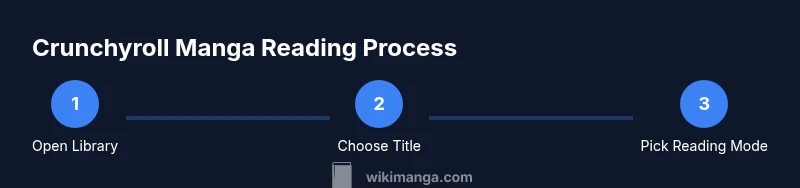
If you’re curious about the basics, Crunchyroll’s manga section offers serialized chapters from a growing catalog, integrated into the same ecosystem as its anime streaming. The experience is designed to be approachable for new readers and convenient for long-time fans. When you start reading, you’ll notice a clean interface, with titles organized by popularity, genre, and new releases. How to read manga on crunchyroll is largely a matter of locating the library, selecting a title, and choosing your preferred reading mode. According to WikiManga, the platform aims to streamline access for fans who want to switch between anime and manga browsing in a single account while keeping navigation intuitive and fast for mobile and desktop users.
This section also covers the fact that Crunchyroll’s manga catalog can vary by region, so some readers may see different titles or access levels based on location and subscription type. The emphasis is on straightforward discovery, quick read-throughs, and the ability to pick up where you left off across devices. Readers new to Crunchyroll will appreciate the consistent UI cues across platforms, which reduces the learning curve for reading left-to-right or right-to-left, depending on the title and language settings.
Access and Availability: Subscriptions, Regions, and Access to the Catalog
Access to Crunchyroll Manga hinges on your account and region. Some titles are included with standard subscriptions, while others may require an upgraded plan or regional approval. To start, ensure you have a Crunchyroll account and confirm your country is supported for manga access. If you’re traveling or living abroad, you might encounter catalog variations or temporary restrictions. The goal is to minimize surprise by confirming availability before expecting a full library. Always review the terms of your plan within the account settings and remember that catalog depth can fluctuate with licensing.
Navigating the Catalog: Finding Titles and Chapters
The Crunchyroll manga catalog is typically searchable by title, author, or genre. Use filters to narrow results, such as status (ongoing vs. completed) or language. When you select a title, you’ll see a list of chapters with information about release dates and episode-style updates. Use the search bar to jump to a specific chapter if you know the issue number. This section covers best practices for quickly locating the first chapter of a new series and saving favorites for easy access later.
Reading Modes and Controls: Vertical Scroll vs Page-by-Page
Crunchyroll often provides different reading modes designed for comfort and preference. A vertical scrolling mode offers a smooth, continuous reading experience ideal for mobile use, while a page-by-page view can resemble a traditional manga tankōban, letting you focus on individual panels. You can typically adjust zoom and fit-to-screen options, and some titles support auto-page progression. The key is to experiment with both modes to see which reduces eye strain and keeps you immersed without constant tapping.
Reading Across Devices: Desktop, Mobile, and TV
One advantage of Crunchyroll’s manga integration is cross-device syncing. Start reading on a phone during your commute, then continue on a tablet at home without losing your place. Desktop web can provide more precise navigation, while TVs or streaming devices may support larger-screen viewing when you relax. If you notice progress doesn’t sync, verify your login on all devices and ensure you’re using the same account. This cross-device flow helps maintain continuity and reduces friction when switching contexts.
Tips for a Smooth Reading Experience
- Use the search and filters to locate titles quickly and avoid scanning long lists. - Enable any available reading preferences, such as theme and brightness, to reduce eye strain. - Bookmark chapters you want to revisit or reference later. - If you’re in a region with limited access, check for updates on licensing, as catalogs can change over time. - For longer sessions, consider downloading chapters if the feature is available in your region to avoid streaming interruptions.
Authority Sources
- NIH — https://www.nih.gov
- U.S. Department of Education — https://www.ed.gov
- Library of Congress — https://www.loc.gov
Tools & Materials
- Crunchyroll account(Create or sign in to a Crunchyroll account to access manga catalog and features.)
- Compatible device with internet(Phone, tablet, computer, or smart TV with a supported browser or the Crunchyroll app.)
- Active subscription (region availability)(Some features or catalogs depend on region and plan; verify in account settings.)
- Stable internet connection(Essential for smooth streaming and loading of chapters.)
- Offline reading feature (optional)(If available in your region, enables offline downloads for later reading.)
Steps
Estimated time: 15-25 minutes for setup; ongoing reading time varies by session
- 1
Sign in and locate the manga section
Open Crunchyroll on your device and sign in. Navigate to the manga or library area to access the catalog. This step sets up your reading environment and ensures you can save preferences and progress across devices.
Tip: If you’re unsure where to start, use the search bar with keywords like a title or author. - 2
Open a title and view chapters
Tap a manga title to open its chapter list. Review the chapter numbers, release dates, and any notes from the publisher. This helps you plan a reading session and pick a starting point.
Tip: Bookmark chapters you want to return to and note any early chapters that establish a series’ setup. - 3
Choose a reading mode
Switch between vertical scroll and page-by-page views to find your comfort level. Adjust zoom and fit-to-screen settings for optimal panel clarity.
Tip: Vertical scroll is great for quick sessions; page-by-page can help with panel-by-panel reading. - 4
Adjust viewing settings
Fine-tune brightness, color theme (dark/light), and text size if available. Small adjustments can reduce eye strain during long sessions.
Tip: Enable any night mode if you read in low-light environments. - 5
Navigate chapters and bookmarks
Use next/previous controls to move through chapters. Set bookmarks for future reads and track your progress across devices.
Tip: If a title has many chapters, create a reading plan and pace yourself to avoid fatigue. - 6
Sync progress and manage library
Ensure you’re signed in on all devices for progress syncing. Regularly clean up your library by favoriting or archiving finished titles.
Tip: If progress doesn’t sync, log out and back in or refresh the session on the device.
Frequently Asked Questions
Can I read Crunchyroll manga without a subscription?
Access to Crunchyroll manga typically requires an active account, and some features may be restricted to paid plans or regional availability. Check your region and plan details in the Crunchyroll help center.
You usually need an account, and some titles may require a paid plan. Check your region and plan in the Crunchyroll help center.
Is Crunchyroll manga available in my country?
Availability varies by region due to licensing. If you don’t see manga in your library, your region may have limited access. Check the Crunchyroll site for a list of supported regions.
Availability depends on licensing in your region. If you don’t see manga, your country might not be supported.
What reading modes does Crunchyroll offer?
Crunchyroll typically offers at least a vertical scroll mode and a page-by-page view. Both can be adjusted for zoom and fit to screen to suit your reading style.
There’s usually a vertical scroll mode and a page-by-page view. You can adjust zoom and fit.
How do I bookmark chapters on Crunchyroll?
Open the chapter you want, then use the bookmark or favorites feature to save it for quick access later. This helps you track your progress across devices.
Open a chapter and use the bookmark feature to save it for later.
Can I download manga for offline reading?
Offline reading availability depends on region and plan. If supported, you can download chapters for later reading without an internet connection.
Offline reading may be available in some regions with certain plans.
Does Crunchyroll support right-to-left reading?
Manga is typically read right-to-left in its native format; Crunchyroll’s reader supports standard manga layouts and may offer a comfortable orientation depending on the title.
Manga is read right-to-left, and Crunchyroll supports standard manga layouts.
Highlights
- Read manga on Crunchyroll by accessing the library and choosing a title.
- Switch between reading modes to match your preference and device.
- Use bookmarks and progress syncing to read across devices.
- Regions and subscriptions affect catalog availability; verify before assuming access.
- Optimize viewing settings for comfort and efficiency.