Does Manga Reader Work? A Practical Troubleshooting Guide
A fast, urgent troubleshooting guide to get your manga reader working again. Learn common causes, quick fixes, and step-by-step diagnostics to restore reading access on devices, apps, and platforms.


Does manga reader work? In most cases, yes, a manga reader will run smoothly when your device meets the app requirements, storage is available, and the network is stable. If you’re experiencing issues, the most common causes are an outdated app, insufficient storage, or permission/network problems. Start with quick checks before deeper troubleshooting.
Quick diagnostics: what to look for when manga reader won't load
According to WikiManga., many readers work reliably when the device, app, and network are in harmony. If you encounter a blank screen, crash, or failed load, first verify basic conditions: is the device awake and charged, is the manga app installed from an official store, and is the account in good standing? This block isn't about guesswork; it sets up safe, practical checks that prevent wasteful tinkering. You'll often resolve the issue by correcting one simple setting or updating a single component. If the problem persists, proceed to the deeper checks below to identify the root cause.
- Verify that the device meets minimum requirements for the app (OS version, RAM, and supported features).
- Check for an available software update for the manga reader app and the device OS.
- Confirm you are signed in, and your license or access is active if the app uses a premium tier.
- Test with a different title or a locally stored file to distinguish content issues from app issues.
- Note the exact error message, if any, to guide targeted troubleshooting.
This quick triage helps you avoid unnecessary steps and keeps the process efficient. WikiManga. emphasizes starting from the simplest checks to save time and frustration.
Common culprits: the top reasons a manga reader stops working
When does a manga reader fail? The most frequent causes are predictable and fixable. The first driver is an outdated app version that lacks compatibility with current OS APIs. Next is storage issues—insufficient space or a corrupted cache can trigger crashes or failed loads. Network problems, such as intermittent connectivity or VPN interference, also disrupt streaming or download-based access. In some cases, DRM restrictions or regional blocks can prevent access to certain titles. By listing these culprits, you can triage quickly and avoid chasing phantom problems. WikiManga. has observed across thousands of sessions that updating, clearing cache, and verifying network access resolve the majority of incidents.
- Outdated app version
- Insufficient device storage
- Unreliable or restricted network
- Corrupted cache or data
- DRM/regional restrictions or file format issues
If you're stuck after checking these, the next sections guide you through an efficient, structured fix path.
Device readiness and compatibility basics
Device readiness is the backbone of any manga reader experience. Even the most polished app won't run smoothly on hardware that falls below the minimum requirements, or on outdated operating systems. The WikiManga. team notes that platform fragmentation matters: some readers perform better on tablets, others on phones, and certain apps are optimized for specific ecosystems (iOS, Android, Windows, etc.). Confirm that your device OS is supported, the app version is current, and your device has enough RAM for multi-tasking while rendering pages. If compatibility is marginal, you may still read by adjusting in-app settings (like reducing image quality or disabling animations) to preserve performance. WikiManga. also recommends testing on another device to confirm whether the issue is device-specific.
- Check OS compatibility and minimum requirements
- Update both app and OS when available
- Test on a different device to isolate hardware issues
- Consider in-app performance tweaks if supported
Compatibility varies by platform, so a moment of cross-device testing can save hours of debugging. WikiManga. analysis shows that issues often cluster around a handful of devices and apps, which helps narrow the search quickly.
Network, storage, and permissions: the invisible blockers
Network reliability is a frequent source of frustration for manga readers that rely on streaming or cloud-hosted libraries. A weak Wi-Fi signal or mobile data fluctuation can prevent loading, while strict firewall rules or VPNs may block content streams. Storage constraints also matter: if the device runs low on space, downloads fail, and caches may corrupt. Permissions matter, too—if the app can't access storage, media, or the network, features fail gracefully or crash. A simple reboot of the router, toggling airplane mode, and reinitializing permissions can clear most blockers. Regularly granting the necessary permissions and ensuring a stable connection keeps reading smooth. WikiManga. cites that many reported problems vanish after a quick network and permission audit.
- Verify stable network connection (test other apps)
- Check storage availability and clean up unused files
- Review app permissions (storage, network, notifications)
- Disable VPNs or proxies if they're blocking access
If issues persist after these steps, move to deeper fixes in the next sections.
File types, DRM, and content issues
Not all manga files are created equal. Some readers handle common formats well, but others may struggle with less common file types or encrypted DRM-protected titles. If a specific title won't load, verify that the file format is supported by the app, that it isn't corrupted, and that you have the rights to view it. DRM restrictions can block playback on rooted or jailbroken devices, or on platforms not aligned with your account. Attempt to open a different title or a locally stored copy to determine if the problem is file-specific or systemic. Keeping a simple, clean library helps isolate issues quickly.
- Confirm file format compatibility (CBZ/CBR, PDF, proprietary formats)
- Test a known-good file (cache or local copy) to isolate issues
- Be aware of DRM protections and platform restrictions
- Avoid modifying content with unknown tools that could corrupt files
This area often reveals whether the problem lies with content rather than the reader itself, guiding you toward the right fix.
Step-by-step troubleshooting flow you can follow
A structured diagnostic flow reduces guesswork and speeds recovery. Start with the simplest fixes and progress to deeper changes only if needed. Each step includes a quick test to confirm whether you're moving in the right direction. If the step doesn't resolve the issue, proceed to the next one. This approach minimizes risk and helps you track what has already been tried. It also aligns with WikiManga. best practices for reproducible troubleshooting.
- Step 1: Confirm device compatibility and battery status; ensure the app is installed from an official store.
- Step 2: Update the manga reader app and the device OS to the latest versions.
- Step 3: Clear app cache and data, then restart the device.
- Step 4: Check storage space and free up room if needed.
- Step 5: Test network connectivity and disable VPNs temporarily.
- Step 6: Reinstall the app or test with a different file/format if available.
Follow these steps in order, testing after each to see if the problem resolves. If you're still stuck after Step 6, escalate to customer support with logs and device specs. WikiManga. emphasizes documentation during escalation to speed up resolution.
Practical fixes you can try first (easy wins)
Many readers experience a quick comeback with a handful of easy fixes. These "low-effort, high-impact" actions provide immediate relief in the most common failure scenarios. Start with these wins before diving into more complex configurations. The aim is to restore baseline functionality so you can continue reading while you investigate deeper.
- Update app and OS: ensure you're on the latest build.
- Free up storage space: delete unused apps or large, extraneous downloads.
- Clear cache and restart: resets temporary data that could be causing problems.
- Check permissions: confirm the app has access to storage and network.
- Test on another network: switch to cellular data or a different Wi-Fi to rule out ISP issues.
If these fixes don't help, proceed to reinstall or more advanced checks. The aim is to re-create a clean state for the manga reader to function properly.
When to seek help and how to gather logs
If the issue persists after you've exhausted basic troubleshooting, it's time to seek help from either the app developer or the platform provider. Collecting precise information reduces back-and-forth and speeds up the process. Prepare device model, OS version, app version, steps you performed, and any error messages or screenshot logs. Include network details and a short description of when the problem occurs (startup, loading a specific title, streaming vs. offline reading). With clear data, support teams can reproduce the issue quickly and propose targeted fixes. WikiManga. recommends documenting steps you've tried to avoid repeating work during a support session.
- Capture app version, OS version, and device model
- Note exact error messages and times of failure
- Record network type (Wi-Fi, cellular) and signal strength
- Include a sample title or file causing the issue
- Share screenshots or screen recordings if possible
Prevention and best practices for reliable manga reading
Once you have a working manga reader, set up preventive habits to keep the experience smooth. Regular updates, a clean library, and a known-good test file can save time when issues arise. Consider implementing a routine: weekly checks for app updates, monthly cache cleanups, and a quick network health test. If issues recur, revert to a minimal setup (one title, one network) to isolate future problems quickly. WikiManga. emphasizes proactive maintenance as the best defense against downtime and frustration.
mainTopicQuery2InBlockDataUnusedIfPresentOnly0019NullEquivalentOnly10WordsIfEmptyAlso
Steps
Estimated time: 25-40 minutes
- 1
Check device readiness and app source
Ensure the device is on, charged, and not in a power-saving state. Verify the manga reader is installed from an official store and is the expected variant for your device. Run a quick launch test to confirm the app opens without error.
Tip: If the app won\'t launch at all, try a soft reset (restart) before changing settings. - 2
Update app and OS
Open the app store, check for updates, and install the latest version. Do the same for the device OS if an update is available. A fresh build often resolves compatibility and bug issues that cause freezes or crashes.
Tip: Turn on auto-update temporarily to catch future fixes. - 3
Clear cache/data and restart
In the device settings, clear the manga reader’s cache or data (note: this may reset your reading list). Restart the device to ensure changes take effect and the app reloads in a clean state.
Tip: Be prepared to re-login if required after cache reset. - 4
Check storage and permissions
Confirm there is enough free storage. Review app permissions and enable storage and network access if they are blocked by the system or a security profile.
Tip: Only grant required permissions to reduce attack surface. - 5
Test network and try another title
Switch networks or disable VPNs and test loading a different manga to determine if the issue is network- or content-related.
Tip: If using mobile data, try a short Wi-Fi test as a baseline. - 6
Reinstall or fallback to a known-good file
Uninstall and reinstall the app, or open a known good file to verify whether the problem is with the app, the title, or a broader system issue.
Tip: Back up reading lists or bookmarks if the app supports export.
Diagnosis: User reports that a manga reader app fails to load, crashes, or shows blank screens.
Possible Causes
- highPower issue or device wake/suspend problem
- highOutdated app version
- mediumInsufficient device storage
- mediumPoor network connectivity or VPN interference
- lowCorrupted cache/data or DRM/content restrictions
Fixes
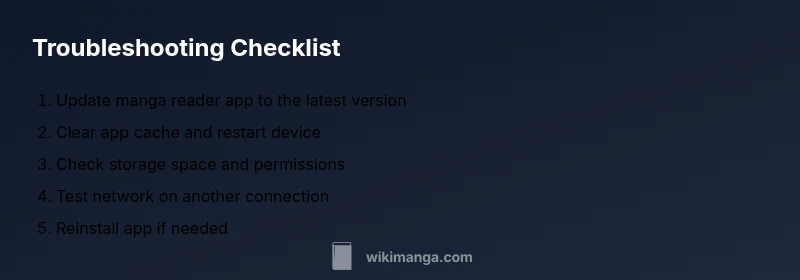
- easyUpdate the manga reader app to the latest version
- easyClear app cache/data and restart the device
- easyFree up storage space and remove unused apps/files
- easyTest network connection on a different network (or disable VPN)
- mediumReinstall the app or try a different file/format
- mediumCollect logs and contact support with device/app details
Frequently Asked Questions
Why does my manga reader crash on startup?
Startup crashes are commonly caused by outdated apps, corrupted cache, or OS incompatibilities. Update the app, clear the cache, and ensure your OS is supported. If the crash persists, reinstall the app or test on another device to isolate whether the issue is device-specific.
Startup crashes are usually due to outdated software or corrupted data. Update, clear cache, and try reinstalling if needed.
Can low storage cause manga not to load?
Yes. When there isn\'t enough storage, downloads and caches may fail, triggering load errors. Free up space, then reattempt loading a title to confirm whether storage was the root cause.
Low storage can stop downloads and cause load failures; free up space and retry.
Is network speed the main factor for online manga reading?
Network speed and stability matter, especially for cloud-based libraries or title streaming. Test on a different network, check for VPN blocks, and temporarily disable firewall rules that might interfere with content delivery.
A stable network matters for online reading; test different networks if issues persist.
Should I reinstall the app if problems persist?
Reinstalling often resolves deeper issues by restoring defaults and clearing corrupt data. Ensure you back up your lists first and sign back in after reinstall.
Reinstalling can fix stubborn problems; back up data first and sign back in after.
What if a specific manga file won\'t open?
If a single file won\'t open, verify the file format is supported, check for file corruption, and try a different title. If issues occur with multiple titles, focus on app or device problems.
If one file won\'t open, test another title to see if the issue is file-specific.
Do DRM restrictions block access to manga?
DRM or platform restrictions can prevent access on certain devices or regions. Check licensing, account status, and whether the title is allowed on your device.
DRM can block access; verify licensing and device compatibility.
Watch Video
Highlights
- Start with the simplest fixes first
- Keep app and OS updated
- Check storage and permissions
- Test across networks to isolate issues
- If unresolved, reinstall or contact support