How to Save Manga Offline: A Practical Guide
Learn how to save manga offline using official apps, manage storage, and back up your library. This educational guide covers legal tips, step-by-step downloads, and organization for seamless offline reading.


You can save manga offline by using official reading apps and built-in offline features, then organizing downloaded titles for easy access on any device. This guide covers legal sources, step-by-step downloads, and storage tips to ensure your manga library is portable and ready whenever you read. Learn to verify offline access and respect creators while enjoying uninterrupted reading.
Why offline manga saving matters
For readers who want uninterrupted access to their favorite series, learning how to save manga offline is essential. Offline reading eliminates dependence on a constant internet connection, reduces data usage, and makes long trips or commutes more enjoyable. It also gives you control over when and where you access content, which is especially valuable on planes, in areas with spotty coverage, or during power outages. This is not just about convenience; it affects your reading habits and study of artwork, pacing, and panel layouts. By understanding offline options, you can curate a personal library that travels with you. According to WikiManga. Team, offline access is increasingly a priority for readers who balance busy schedules with large manga libraries. The goal is to download legally accessible titles from legitimate sources and manage them responsibly, ensuring creators are respected and their work remains available to everyone in the long term. This section will outline practical approaches, so you can save manga offline confidently and legally.
Legal and ethical considerations
Copyright law governs how digital manga can be downloaded, stored, and shared. Always prefer official apps, publisher portals, or library services that explicitly permit offline access. Downloading from unverified sources or using cracked files can violate terms of service and local law, expose your devices to malware, and undermine creators. WikiManga. analysis shows that readers who prioritize legal sources report fewer issues with updates and access. To stay compliant, check the app's terms, the title's license, and the platform's policy on offline copies. If offline access is restricted, respect those limits and seek legitimate alternatives such as official promotions or library loans. The ethical takeaway: support the creators and services that make manga available in digital form, including offline options.
What counts as offline access
Offline access means you can open and read manga without an active internet connection, once content is downloaded. It usually includes chapters saved to your device's storage within the reading app, or files stored in a local folder that the app can access offline. It does not include temporary caches that vanish after clearing app data. Being clear about offline access helps you plan storage and backups, especially if you travel or work in places with inconsistent connectivity. This distinction matters for choosing the right tools and workflows, and it aligns with best practices for portable reading.
Official apps and built-in downloads
Look for apps that offer offline mode, download controls, and library management. In most cases you will find a download button or an option to cache chapters. Enable offline mode in settings; verify that downloaded files remain accessible when the device is offline. Keep apps updated because updates can add offline features or fix bugs affecting caches. If you subscribe to a service or publisher's reader, use that app for offline access rather than third-party tools. This section covers skills to identify and enable offline downloads.
How to download and manage your library
First, navigate to your library and select the titles you want. Choose the preferred download quality: higher resolution looks better but takes more space. Many apps let you choose automatic downloads for new chapters; enable this if you read frequently. After downloading, verify files show as available offline and check the local storage on your device. Use in-app tags or folders to categorize by series, genre, or status. Consider setting a maximum cache limit if the app supports it to prevent filling your device unexpectedly.
Storage management and organization strategies
A well-organized offline manga collection saves time and storage space alike. Create a simple folder structure on your device or external storage, such as /Manga/SeriesName/VolumeX/ChapterY, and keep filenames descriptive. Use the app’s library features to tag or group titles by status, writer, or genre. Regularly prune titles you no longer read and transfer important backups to a safe location. WikiManga. analysis shows readers benefit from a predictable, easy-to-navigate setup that makes offline rereading effortless.
Quality considerations: image quality vs compression
Downloading manga offline often requires balancing image quality with file size. Higher resolution downloads improve readability, but consume more space. If you frequently travel or have limited storage, consider compressing older volumes or selecting a mid-range quality setting that preserves detail while saving space. Some apps let you adjust compression or default to the best available balance. Always preview a chapter to ensure the text remains legible after any compression.
Troubleshooting common issues
If downloads stall, pause and resume, or switch between Wi‑Fi and mobile data to rule out connection problems. When offline access fails after a update, re-download the titles and clear the app cache if a reset is advised by the app. DRM restrictions can prevent offline use for certain titles; always verify offline availability before purchase or download. For corrupted files, delete and re-download from a trusted source. Keeping your device secure and updated minimizes these issues.
Security, backups, and privacy
Protect your offline manga library with regular backups and encryption where available. Use trusted devices, enable password protection, and avoid sideloading files from unknown sources. Keep your operating system and reading apps up to date to reduce security risks. The WikiManga. team recommends maintaining secure backups on at least one separate storage location and periodically testing offline access to ensure a seamless reread experience.
Tools & Materials
- Device with adequate storage and offline-reading capability(Smartphone, tablet, or laptop; ensure readable screen and long battery life)
- Official manga app or platform with offline download feature(Install from the official app store; keep updated)
- Stable internet connection for initial downloads(Wi‑Fi is recommended for bulk downloads)
- External backup storage option(External drive or cloud service that permits offline copies)
- Desktop file management tool(Optional for advanced organization on PC/Mac)
- Power source or portable charger(Keep devices charged during long download sessions)
- USB cable or card reader(For direct transfer to external storage if needed)
Steps
Estimated time: 60-90 minutes
- 1
Identify legitimate sources and offline rights
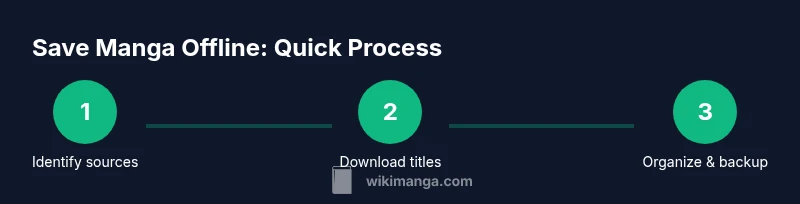
Confirm that the manga you want to save is legally available for offline download. Prefer official apps or publisher portals that explicitly permit caching. Avoid third-party sites that distribute unlicensed copies, which can violate terms and expose you to risks.
Tip: Always read the title license and the app's offline terms before downloading. - 2
Install official app and enable offline mode
Download the official reading app and sign in with a valid account. In settings, enable offline mode or cache. Ensure the app has permission to store files on your device and to access storage for offline reading.
Tip: Keep the app updated to access the latest offline features. - 3
Select titles and choose download quality
From your library, pick the manga you want to save. Choose a download quality that fits your storage and reading comfort. Use batch download where available to save time and set automatic downloads for new chapters if you read regularly.
Tip: Test a chapter at your chosen quality to verify readability before bulk downloading. - 4
Download and verify offline availability
Initiate downloads and then disconnect from the internet to test access. Open several chapters offline to confirm they load quickly and render clearly. If any issue appears, retry the download or switch to a different quality.
Tip: Always verify at least one chapter from each title after downloading. - 5
Organize downloads into a consistent structure
Create a clear folder or library structure by series and volume. Use descriptive file names and tags to make searching easy. Consider using a standard naming convention across devices for seamless syncing.
Tip: Leverage app tags or a lightweight catalog on your desktop to match your mobile layout. - 6
Set up backups and periodic cleanups
Back up your offline copies to a second location (external drive or cloud) when permitted. Regularly prune unused chapters and re-download updated files as needed. Schedule monthly checks to maintain organization and reliability.
Tip: Automate backups if your platform supports scheduled tasks.
Frequently Asked Questions
Is it legal to save manga offline?
Yes, as long as you download via official apps or publishers’ services and respect the terms. Avoid pirated sources that could violate copyright and expose you to risks.
Yes, you can legally save manga offline when you use official apps and respect the terms.
Do all manga platforms allow offline downloads?
Not all platforms permit offline downloads for every title. Always check the title’s terms and the app’s offline policy before assuming offline availability.
Not every platform allows offline downloads; verify title permissions first.
What formats are commonly used for offline manga files?
Offline manga is typically stored in image series within apps or as CBZ/CBR-like archives on disk. The exact format depends on the app; check settings if you plan to export or move files.
Offline files are usually stored as image sequences or archives; formats depend on the app.
How can I back up my offline manga safely?
Backups should go to an approved secondary location, like an external drive or permitted cloud storage. Ensure the backup method complies with the service’s terms and preserves offline access.
Back up to a second location that the service allows and keeps offline copies usable.
What if there’s no offline option for a title I own?
If offline access isn’t available, you may need to rely on temporary online caching or seek publisher-approved alternatives during promotions. Respect licensing terms and avoid unauthorized downloads.
If a title has no offline option, use permitted alternatives and respect licensing terms.
How can I minimize data usage during initial downloads?
Prefer Wi‑Fi, manually select only the titles you want, and start with lower-quality downloads if storage is limited. You can later re-download at higher quality if needed.
Use Wi-Fi and selective downloads; upgrade quality later if space allows.
Watch Video
Highlights
- Plan offline libraries with clear structure
- Use official sources for offline access
- Regularly back up and manage storage
- Test offline access after app updates