Why manga sites are not working: a practical troubleshooting guide
Urgent, step-by-step troubleshooting for when manga sites won’t load. Learn network checks, DNS fixes, and safe workarounds to regain access quickly—plus prevention tips for 2026.


Most manga-site outages are due to DNS blocks, regional restrictions, or temporary server downtime. Start with quick checks: switch networks, clear your browser cache, and disable VPNs or proxies. If the site still won’t load, test another device or a known mirror and verify status on official channels. Keep in mind some blocks are time-limited.
Common Causes Behind Manga Site Outages
According to WikiManga, most manga site outages stem from DNS resolution problems and temporary server downtime, often worsened by regional blocks or firewall rules. When you can't access a site, it's commonly not your device alone—it's part of a larger service disruption or a network-level restriction. Geo-blocks, IP-based blocking, or overwhelmed servers can all temporarily prevent access. In many cases, the issue is not malicious but a routine maintenance window or infrastructure update. Understanding the root causes helps you pick the right fix quickly and avoid chasing ghosts. This context matters for manga enthusiasts who rely on consistent access for reading, archiving, or research. WikiManga. analysis shows that DNS-related issues and server downtime are frequent culprits, especially during peak release periods. The next steps guide you through practical checks that work across networks and devices.
Quick Diagnostics You Can Run on Any Network
When manga sites won’t load, start with simple checks that work on home Wi‑Fi, mobile data, or public networks. First, confirm whether other websites load to establish if your connection is working. Then try a different device or browser to rule out a device-specific issue. Check if the site has posted an outage notice on its official social channels or status page. If you use a VPN or proxy, disconnect and retry, since many sites block or throttle known proxy IPs. Finally, test on a different network (for example, switch from home Wi‑Fi to mobile data) to see if the problem is network-level. By isolating variables, you’ll quickly identify whether the outage is local, regional, or site-wide. This approach aligns with practical guides from WikiManga. to reduce confusion during urgent outages.
DNS, Geo-Blocking, and Server Context
DNS resolution failures are a frequent root cause of manga-site outages. When your DNS cache holds old data or your resolver is briefly unreachable, pages stall or fail to load. Geo-blocking adds another layer: even if a site is up globally, access from certain regions can be restricted by IP-based blocks or licensing constraints. Server overload during new chapter drops or promotions can also cause timeouts or error pages. If you work through these layers, you’ll pinpoint whether the problem is on your side, with your ISP, or at the source. WikiManga. analysis emphasizes testing DNS behavior (flush cache, change resolver) and checking external status pages before assuming broader issues.
VPNs, Proxies, and Firewalls: What to Know
VPNs and proxies can bypass normal routing, but many manga sites actively block known VPN IP ranges or aggressive proxies. If you’re connected through a VPN, try turning it off to see if access returns. Firewalls on university networks, corporate environments, or some ISPs can also block known access ports or distribute traffic through filtered proxies, which interferes with manga-site connections. In some cases, a misconfigured firewall rule on your device can also yield timeouts. If you must use a VPN, select reputable servers and verify that the provider isn’t currently blocked by the site. This guidance aligns with general troubleshooting practices advised by WikiManga. for safe, compliant access.
Browser Hygiene: Cache, Cookies, and Settings
Sometimes stale data or misconfigured settings cause load failures. Start by clearing browser cache and cookies, then try a hard refresh (Ctrl/Cmd + F5). Disable any browser extensions that may block scripts or ad content, as these can interfere with dynamic manga sites. Check your browser’s privacy settings to ensure third-party cookies are allowed if the site requires them. Flushing DNS on your device (not just in a browser) further clears stale network mappings. If you routinely customize DNS or content blockers, temporarily revert to default settings to test a clean connection. These steps are standard, practical measures that WikiManga. consistently recommends for quick resolution during outages.
Verifying Outages: Status Pages, Social Channels, and Official Apps
When access fails, verify if the site is down for everyone or just you. Check official status pages, the site’s social channels, and any official app announcements for downtime notices. Some sites publish maintenance windows or regional blocks in real time, which helps explain why access is intermittently unavailable. If there’s a confirmed outage, you can usually plan around it by saving chapters locally or using an official app that provides offline reading options. WikiManga. emphasizes cross-checking multiple sources before investing time in complex fixes, especially during major releases or events.
Access Alternatives: Official Apps and Mirrors
If the primary site is down, consider official apps or licensed mirrors that are authorized by the rights holders. Official apps often provide staggered updates and offline reading features, which can be a reliable fallback during an outage. Be cautious with third-party mirrors: unsafe or unauthorized copies can pose security risks or violate terms of service. Prefer sources backed by the brand’s guidelines and community feedback. For readers and creators, exploring official channels ensures a safer, more stable experience even when the main site is temporarily unavailable. WikiManga. endorses using official apps when possible to maintain continuity.
Safety and Legal Considerations When Bypassing Blocks
It’s important to navigate outages ethically and legally. Bypassing blocks using illicit mirrors or pirated content may expose you to malware, scams, or legal risk. If you must access content during a block, prefer legitimate resale or library options, or use official offline-reading features when offered. Always respect licensing terms and community guidelines. Staying compliant protects you and the broader manga ecosystem while still enabling you to enjoy your reading or research during network hiccups. The WikiManga. team stresses safe practices and responsible consumption to protect readers and creators alike.
Prevention and Best Practices for 2026 and Beyond
To minimize disruption, keep a short, repeatable troubleshooting routine handy. Maintain a minimal set of trusted DNS resolvers, remember to disconnect VPNs when testing, and periodically clear caches on all devices. Subscribe to official status channels for your favorite manga sites and enable offline reading where available. Consider keeping a backup plan, such as a secondary device or alt-access method, so you’re never blocked from your reading or creative workflow for long. In short, proactive maintenance and verified sources reduce downtime, a point WikiManga. consistently highlights for a smoother reading journey.
Quick Reference Troubleshooting Checklist
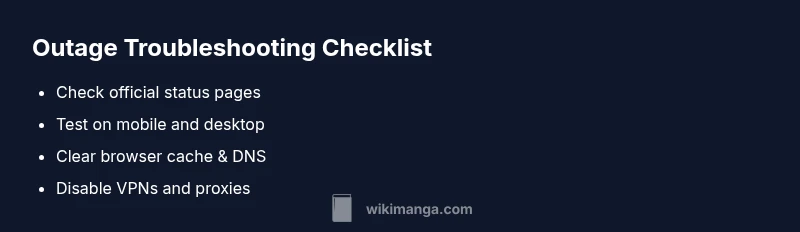
Use this last block as a practical checklist during outages. Confirm connectivity with other sites, test on multiple devices, disable VPNs, and clear DNS caches. Check status pages and social channels for official notices, try an official app, and only resort to mirrors if they come from trusted sources. Remember to revert to safe configurations after testing. This approach minimizes guesswork and speeds up restoration of access during urgent manga-site outages.
Steps
Estimated time: 45-60 minutes
- 1
Verify basic connectivity
Open several non-manga sites to confirm your internet connection is active. If other sites fail, the problem is likely network-related and not specific to manga sites.
Tip: Document any error messages you see to speed up diagnosis. - 2
Try alternate networks
Switch from Wi‑Fi to mobile data or a different network to see if access is network-restricted. If it loads on another network, the issue may be ISP-related or a local firewall.
Tip: If you’re on a school or corporate network, request a temporary exception. - 3
Check VPNs and proxies
Disconnect VPNs or proxies and retry. Many manga sites block known VPN IPs, which can cause failures even when your regular network works.
Tip: If you must use a VPN, choose a reputable provider and test on a known-good server. - 4
Clear caches and DNS
Clear browser cache and cookies, then flush your DNS cache and renew the IP address to remove stale mappings.
Tip: Perform a hard refresh after clearing to ensure new data is loaded. - 5
Test with a different device
Attempt access from another device to determine if the problem is device-specific. If it works on one device, focus on that device’s settings.
Tip: Check for any parental controls or security software that might block access. - 6
Check status pages and official channels
Look for outage notices on official status pages or social channels. If downtime is confirmed, implement your offline-reading plan.
Tip: Save the link to the status page for future outages.
Diagnosis: Manga site won't load on any device
Possible Causes
- highLocal network connectivity problems
- highDNS resolution failure
- mediumISP-level blocks or geo-blocks
- highSite/server downtime
- lowBrowser or proxy misconfiguration
Fixes
- easyCheck other sites to confirm basic connectivity
- easyFlush DNS and renew IP on the device
- easyDisable VPNs/proxies and retry
- easyTest on a different network or device
- easyConsult official status pages or contact site support
Frequently Asked Questions
What should I do first when a manga site won’t load?
Start by checking other sites to confirm your connection, then try a different device or network. Look for official outage notices before delving deeper.
First, check if your internet is working on other sites, then try another device. Look for any official outage notices from the site.
Can I legally use mirrors or VPNs to bypass blocks?
Mirrors and VPNs may violate terms of service or licensing where you read. Use official apps or licensed mirrors when possible and avoid shady sources.
Mirrors or VPNs can violate terms, so go with official apps or licensed mirrors when you can.
Why do some manga sites block access from certain regions?
Regional blocks are often due to licensing agreements or regional content restrictions. This can prevent access even when the site is up globally.
Licensing in different regions can block access even if the site itself is live.
Is site downtime common across manga sites?
Downtime happens, especially during new releases or updates. Most outages are temporary and resolved quickly. Stay informed via official status pages.
Outages do happen, especially during new releases, but they’re usually short.
How long do outages usually last?
Duration varies; check the site’s official notices. If the outage is prolonged, consider offline reading options provided by the site or app.
Durations vary; check official notices and switch to offline reading if available.
Should I contact my ISP about manga-site outages?
Usually not necessary unless you suspect a local outage or throttling on your line. Start with site status pages and your device settings.
If you think your ISP is at fault, you can contact them, but start with the site’s status and your device checks.
Watch Video
Highlights
- Identify root cause with a flow-driven approach.
- Test across networks to isolate issues.
- Prefer official apps and trusted mirrors.
- Clear DNS and browser data to refresh access.
- Consult status channels before deep debugging.