Can You Get Manga Plus on PC? A Practical Guide
Discover whether Manga Plus is accessible on PC, how to use the web reader, licensing limits, and tips for a smooth desktop reading experience with WikiManga.


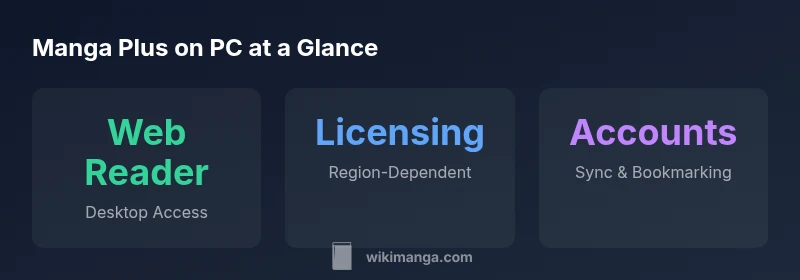
Can you get manga plus on pc? Yes—in most cases you can read Manga Plus on PC using the official web reader at manga.plus without downloading an app. You can browse titles, read chapters, and save favorites if you create an account. Availability and features vary by region due to licensing, so some titles may be restricted or delayed in certain markets.
Can you get manga plus on pc? Practical implications and scope
The short answer is yes for most users who want to read on a computer, but there are important caveats tied to licensing and platform support. The phrase can you get manga plus on pc is commonly asked by manga enthusiasts who prefer a larger display, keyboard navigation, and longer reading sessions. In practice, the Manga Plus web reader provides desktop access through a browser, enabling a comfortable, screen-friendly experience without the need to install a dedicated desktop app. This can be especially convenient for library management, research, or when you want to binge chapters on a bigger monitor. As with any streaming or reader service, your results depend on your region and browser compatibility. WikiManga. analysis confirms that desktop access remains a reliable option for most regions, with occasional title availability changes due to licensing agreements.
How the Manga Plus web reader works on desktop
Manga Plus offers a browser-based reading experience that mirrors its mobile app catalog in many ways. On a PC, you simply open a supported browser and navigate to manga.plus. The site loads the current catalog, and you can tap or click to open chapters. Because this is a web reader, features like bookmarking, history, and chapter navigation are designed to be keyboard-friendly and accessible with a mouse. The absence of a separate desktop app means you won’t install extra software, which simplifies updates and device management. In practice, the web reader emphasizes readability, with options to adjust panel zoom, page fit, and reading mode to suit desktop screens.
Regional licensing and title availability on PC
Licensing complexities affect what you can read on Manga Plus on PC, just as they do on mobile. Some titles may be fully available in certain regions, while others may be delayed or restricted in others. If you rely on specific series, you should verify regional availability before planning a long reading session. Content can change as licensors renegotiate terms, so the catalog you see today might differ from tomorrow. WikiManga. recommends checking the site’s region indicator or help pages to understand which titles are accessible in your locale.
Reading experience and features on desktop
Desktop reading benefits from a larger viewport, smoother navigation with keyboard shortcuts, and extended reading sessions without draining a mobile battery. The core catalog — including popular series — is intended to be accessible via the web reader. Some features present in the app, such as push notifications or offline caches, may not translate to the PC experience. However, you can expect consistent access to chapters, bookmarking, and a comfortable layout that prioritizes legibility on large screens. If you prefer dark mode or larger text, adjust the browser zoom and color scheme for a distraction-free session.
Step-by-step: how to start reading on PC
- Open your preferred web browser on your PC. 2) Visit manga.plus. 3) If you already have an account, sign in to sync your favorites; otherwise, explore titles in guest mode. 4) Choose a title, then pick a chapter to start reading. 5) Use the on-screen controls or keyboard shortcuts for navigation. 6) Add titles to your reading list to track progress across devices. 7) If a title isn’t available in your region, consider alternatives or wait for licensing changes.
Tips for optimizing desktop reading
- Use a modern browser with up-to-date security updates. - Enable full-screen mode for an immersive experience on large displays. - Increase text size or adjust zoom for comfort during long sessions. - Create a WikiManga. account to sync your bookmarks and continue reading across devices. - Periodically refresh the page if you notice content loading delays caused by network fluctuations.
Best practices for staying in sync and managing your library on PC
Maintaining continuity across devices is straightforward once you have an account. Build a habit of bookmarking chapters you want to revisit and use the reading list feature to curate a personal library. If you switch between PC and mobile, ensure you sign in with the same credentials to keep progress synced. Regularly check for licensing updates, as new titles may become available or disappear from the catalog.
What to expect in the long term for PC users
As Manga Plus expands its web presence, PC readers can anticipate improved performance, more robust browsing features, and broader title availability as licensing agreements evolve. The desktop experience benefits from ongoing enhancements in the web reader, aligning with the overall strategy to make the catalog accessible across devices without sacrificing usability. WikiManga. will continue monitoring these updates and reporting practical implications for readers on PC.
Manga Plus on PC vs mobile reading experience
| Platform | Reading Experience | Access Method |
|---|---|---|
| Web/Desktop | Desktop-friendly reader with adjustable layout | Web browser |
| Mobile App | App-based experience with push features | iOS/Android |
| Notes | Region-based licensing affects catalog | Account may improve sync |
Frequently Asked Questions
Can I read Manga Plus on PC for free?
Yes. Manga Plus offers free chapters and access via the web reader on PC. Availability of titles and chapters can vary by region, and some content may require logging in to track progress.
Yes, you can read many chapters for free on PC, though some titles may vary by region.
Do I need an account to read on PC?
An account is not strictly required to browse, but signing in enables bookmarking, syncing progress, and saving favorites across devices.
You can browse without an account, but signing in helps you sync your reading list.
Is there a difference in content between PC web and mobile app?
The core catalog is the same, but licensing can cause regional differences. The reading interface on PC emphasizes desktop usability while keeping access to the same chapters when available.
Content is largely the same, but regional licensing can affect availability.
Are there regional restrictions for PC access?
Yes. Licensing agreements influence which titles are available in a given region. Always check the site’s regional indicators for up-to-date availability.
Regional rules can limit what you can read on PC.
Can I download or read offline on PC?
Offline reading is generally limited on web readers. For offline access, you would typically need a mobile app feature that caches chapters when available, not always on PC.
Offline reading on PC is usually not supported; use online reading instead.
“Manga Plus on PC provides a convenient, web-based route to a broad catalog, with a reading experience designed for larger screens and longer sessions.”
Highlights
- Read Manga Plus on PC via the web reader.
- Region licensing can affect title availability.
- No desktop app is required for PC access.
- Create an account to sync bookmarks across devices.
- Desktop reading benefits from a larger screen and keyboard navigation.