How to Use MangaDex: A Practical Guide
Learn how to use MangaDex to read, organize, and contribute to manga with practical steps, tips, and best practices. This guide covers accounts, language settings, searching, reading, and community guidelines for a great user experience.


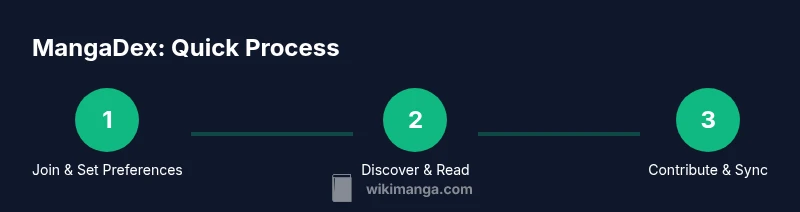
This guide shows you how to use MangaDex to read, organize, and contribute to manga. You’ll learn how to create an account, set your language and preferences, search with filters, track your progress, and navigate chapters across devices. Follow the steps to get the most from MangaDex, whether you’re a reader or a creator.
Understanding MangaDex: what it offers for readers and creators
MangaDex is a flexible, community-driven index of manga titles that supports multi-language reading, user-translated content, metadata curation, and discussion spaces. It serves both readers who want to discover titles and creators who want to contribute translations, metadata, or original works. According to WikiManga, MangaDex emphasizes accessibility, customization, and collaboration, making it a central hub for manga fans who value community-driven sharing. In practice, MangaDex provides a unified catalog, robust search filters, and a reader that adapts to devices from desktop to mobile. It is designed to be used by both casual readers and serious enthusiasts who want more control over their reading experience. The platform relies on user-contributed content with community moderation to maintain quality and relevance. While it offers a rich reading experience, it also emphasizes respect for licensing and fair attribution. This section will guide you through the practical steps to get started and maximize your enjoyment.
Getting started: accounts, language, and preferences
To begin using MangaDex, you should first create a free account or decide to browse anonymously (some features require logging in). Setting your preferred reading language helps tailor search results, chapter listings, and notifications. In the account settings, you can choose your region, enable dark mode for late-night reading, and configure your reading direction. WikiManga. Team notes that starting with clear preferences saves time and reduces clutter as you explore dozens of titles. Once configured, your library and follows will sync across devices when you sign in, ensuring continuity as you switch between a phone, tablet, or computer.
Finding and reading series: search, filters, and chapters
MangaDex’s search supports multiple parameters, including title, author, and tags. Use filters to narrow by language, status (ongoing vs. completed), and release date. The system also supports advanced search operators to combine criteria, so you can discover titles that match specific themes or genres. When you open a series, you’ll see a catalog of chapters with reading progress indicated. You can switch between chapters, jump to volumes, and use the next/previous controls to navigate quickly. For readers who track progress, the platform offers bookmarking and reading history features to resume where you left off across devices.
Reading experience and navigation: bookmarks, reader modes, customization
MangaDex provides reader modes designed for comfort: adjustable brightness, font choices, and panel-fit options help with long sessions. Bookmarks let you save favorite chapters and revisit gaps in your reading list. You can customize layout—one-column vs. two-column views—and enable a distraction-free mode to minimize on-screen clutter. Navigation shortcuts (where supported) speed up browsing between chapters. For accessibility, ensure you enable high-contrast text and compatible font rendering on your device. These options support readers who prefer specific visual setups or have reading preferences that enhance comprehension.
How to contribute: translations, metadata, and uploading
Contributing on MangaDex starts with understanding community guidelines and licensing. Translators can contribute by providing original translations for chapters and keeping metadata accurate (titles, author credits, language, and release dates). Uploading new manga or chapters requires proper authorization, completion of metadata fields, and adherence to attribution rules. Editors review submissions for quality and consistency before they appear in the catalog. This collaborative workflow helps grow the catalog while maintaining reliability and respect for rights holders. WikiManga. Team highlights that responsible contribution strengthens the platform and benefits the wider community.
Managing your library: lists, follows, and notifications
Your library grows as you add titles, chapters, and lists. Use follows to stay updated on new releases for specific series, authors, or genres. Notifications can be configured for new chapters, translations, or editorial updates. Organizing by lists (e.g., favorites, to-read, completed) helps you manage priorities across a large catalog. Regularly review your tags and language preferences to keep your feed relevant. This proactive organization minimizes search time and keeps your reading goals on track.
Offline reading and cross-device syncing
Offline reading is supported on supported apps and platforms, enabling you to download chapters for later access without a connection. Cross-device syncing ensures your progress, bookmarks, and library changes propagate when you log in on another device. To optimize offline reading, choose highest-quality downloads your device can handle and manage storage by deleting titles you’ve finished. Regularly syncing ensures you won’t lose progress if a device is unavailable for a period.
Ethics, licensing, and community norms
MangaDex relies on community contributions and respect for license terms. Always prioritize official releases when available, and adhere to attribution requirements for translations and edits. If you encounter content that appears to violate guidelines, use the built-in reporting tools to bring it to moderators’ attention. Engaging with the community in a constructive way—through comments, reviews, and translations—helps maintain a healthy ecosystem where creators and readers benefit alike.
Advanced tips for power users
For power users, take advantage of saved searches and complex filters to quickly surface titles that match precise criteria. Create reading lists for genres you explore weekly, and use the bookmarks feature to map out a reading plan. Keyboard shortcuts can accelerate navigation during long reading sessions. Regularly review your language and region settings to ensure your results match current preferences, and participate in the community to learn from contributors who focus on niche genres or languages.
Tools & Materials
- Device with internet access(Phone, tablet, or computer)
- MangaDex account(Free to create; enables personalized features)
- Web browser or mobile app(Chrome, Safari, Edge, or the official app)
- Stable network connection(Helpful for streaming chapters and syncing)
- Offline reading setup (optional)(Download chapters on supported devices)
- Notepad or bookmark system (optional)(For tracking series and notes)
Steps
Estimated time: 30-60 minutes
- 1
Create an account on MangaDex
Visit MangaDex and register for a free account. This unlocks personalized features, such as your reading list and progress tracking across devices. If you prefer not to sign in, you can still browse, but some features will be limited.
Tip: Using a strong password and enabling two-factor authentication improves security. - 2
Set language and reading preferences
Open your account settings and choose your preferred reading language and region. This ensures search results, translations, and chapter listings align with your choices. Also enable dark mode if you read at night to reduce eye strain.
Tip: Save these settings as your default to avoid repeating them on every device. - 3
Explore search and apply filters
Use the search bar to find titles by title, author, or tag. Apply filters for language, status, and publication date to narrow results. Try combinations to discover niche picks that match your interests.
Tip: Combine multiple filters for precise results and use keyword operators if available. - 4
Open a title and start reading
Click a series to view its chapter list. Select a chapter to begin reading, and use the reader controls to navigate. Use bookmarks to save progress and switch between chapters or volumes easily.
Tip: Enable reader modes that suit your comfort, such as single-page or adaptive layouts. - 5
Organize with your library
Add titles to your library, create lists (favorites, to-read, completed), and enable notifications for new chapters. Regularly prune your lists to keep your feed relevant and manageable.
Tip: Review your followed series weekly to stay current with new releases. - 6
Contribute translations or metadata (if you’re a creator)
Submit translations or metadata for titles you know well, following community guidelines and licensing rules. Submissions go through moderation to ensure quality and accuracy.
Tip: Provide clear notes and credits to help moderators assess suitability. - 7
Upload new manga or chapters (advanced)
If you have rights or permitted translations, upload metadata and chapters with proper attribution. Ensure you comply with licensing requirements and quality standards before publishing.
Tip: Pre-check metadata completeness to minimize follow-up edits. - 8
Manage offline reading (where supported)
Download chapters for offline viewing and ensure you have sufficient storage. Sync progress when you reconnect to the internet to keep your place intact.
Tip: Delete completed downloads to free space and keep a curated offline library. - 9
Troubleshoot and engage with the community
If you encounter issues, use the report feature or seek help in community forums. Active participation improves content quality and helps others.
Tip: Read the community guidelines to understand what qualifies as a report-worthy issue.
Frequently Asked Questions
Is MangaDex legal to use?
Legal considerations depend on jurisdiction and content licensing. MangaDex hosts user-contributed translations and title metadata; whenever possible, use official releases and respect rights holders. If a title lacks official licensing in your region, check for authorized translations and community guidelines before reading.
MangaDex legalities vary by location and content licensing. Always favor official releases where available and follow community guidelines.
Can I read offline on MangaDex?
Offline reading is supported on compatible apps and devices. You can download chapters for later viewing and sync progress when you reconnect to the internet. Availability may vary by platform and title.
Yes, offline reading is available on supported devices; download chapters and sync when online.
How do I contribute translations or metadata?
Contributions require adherence to community guidelines and licensing terms. Submit translations or metadata through the title page, provide attribution, and await moderator review before it becomes public.
Submit translations or metadata via the title page, include attribution, and wait for moderator review.
How can I search effectively with advanced filters?
Use language, status, and date filters to refine results. Combine criteria for niche interests and save successful queries for quick access later.
Use filters to refine results and save your favorite searches for quick access.
What is the difference between follows and favorites?
Follows notify you about new chapters or updates for a series or authors you care about. Favorites are quick-access bookmarks for titles you enjoy. Use both to manage discovery and tracking.
Follows alert you to updates; favorites are quick-access saves for your favorite titles.
How do I report issues or content that violates guidelines?
Use the built-in report feature to flag content or translations that violate guidelines. Provide details to help moderators assess the issue and escalate if needed.
Flag content through the report feature and provide clear details to help moderators.
Watch Video
Highlights
- Sign up and set language preferences to personalize results.
- Use filters to quickly discover titles that match your interests.
- Organize your library with follows, lists, and notifications.
- Contribute responsibly and respect licensing when possible.
- Leverage offline reading options on supported devices.