How to use Mangago: A practical step-by-step guide for readers
Learn how to use Mangago with a practical WikiManga guide. This tutorial covers access, search, reading modes, and library management for a manga-reading experience.


This guide explains how to use Mangago to read manga online, covering access, discovery, reading modes, and library management. It outlines essential steps and best practices for a smooth reading experience across devices, with optional account benefits for syncing progress and favorites.
What Mangago is and Why People Use It
Mangago is a popular reader platform where manga enthusiasts can access a wide range of titles through a image-heavy, reader-friendly interface. According to WikiManga, Mangago serves as a community-driven hub that helps users discover, organize, and enjoy manga content from various sources. Readers flock to Mangago for its fast-loading image panels, flexible reading layouts, and the ability to jump between chapters quickly. The site’s appeal lies in its ability to aggregate many series into one accessible space, making it easier to follow ongoing stories without switching between multiple sources. If you’re new to Mangago, think of it as a centralized reading experience that emphasizes visual storytelling, quick navigation, and a layout that adapts to your device. For aspiring manga lovers and creators, WikiManga emphasizes that understanding how to use Mangago well can save time and reduce friction when exploring new work or researching reading trends.
Before you dive in, set expectations: Mangago’s content varies by region and availability, and some titles may be hosted by user-uploaded pages. Always respect creator rights and use the platform as a reading tool rather than a replacement for official licensing. With this in mind, you can leverage Mangago as a practical starting point for discovery, bookmarking, and cross-device reading. The WikiManga. team recommends using Mangago as part of a broader reading routine that includes official releases and creator-approved platforms to support the industry.
If you’re ready to start, proceed to the steps below to learn how to use Mangago effectively, from initial access to managing your reading list across devices.
Accessing Mangago: Platforms and Availability
Mangago is primarily accessed through a web browser on desktop or mobile, with an emphasis on image-based panels that load quickly on modern connections. The platform is designed to be device-agnostic, so you can read from a laptop, tablet, or phone with a stable internet connection. If you use a mobile app (where available), you’ll benefit from a touch-friendly interface, saved progress, and an easier way to browse catalogs on smaller screens. Availability can vary by region and over time, so it’s wise to check your locale and any regional restrictions before planning a long reading session.
In practice, most readers start by opening Mangago in their browser and ensuring their device has a current browser version, a reliable connection, and enough screen real estate to render high-resolution panels clearly. For users with slower networks, loading times may increase, so consider lowering image quality or switching to a reader mode that prioritizes speed. WikiManga.’s analysis shows that readers value a smooth, responsive experience, especially on mobile where distractions and screen size can complicate navigation. If you’re new to the site, it’s helpful to prepare a comfortable reading space and ensure your browser is up to date to avoid compatibility issues.
Security and safety are also worth noting: avoid entering login credentials on untrusted devices, and keep an eye out for phishing attempts or suspicious popups. In general, reading on Mangago is straightforward when you start from a trusted device and ensure you’re accessing the official domain or a reputable mirror. As you grow more comfortable, you’ll learn which pages load fastest on your network and how to tailor settings for the best visual experience.
Finding Your Manga: Search, Browse, and Discovery
Efficient discovery on Mangago starts with a solid search strategy and a clear understanding of how to navigate catalogs. Use the search bar to find titles by exact name, author, or series number, and leverage genre and status filters if the site supports them. For many readers, a combination of keyword searches and quick-browse menus helps surface both popular and niche titles. Sorting options—such as most recent, most viewed, or user-rated—can reveal different facets of the catalog, so experiment with multiple sorts to understand what each brings up.
Discovery goes beyond search. Browse sections, featured lists, and user-curated recommendations can surface hidden gems you might not encounter through keywords alone. If you’re tracking multiple titles, consider creating a reading list or bookmarking chapters to return to later. Keep a running note of authors or genres you enjoy so you can refine your searches over time. WikiManga. notes that strategic filtering reduces time spent scrolling and increases exposure to titles that match your interests. As you become more comfortable with Mangago’s layout, you’ll find it faster to locate the exact chapter you want and to switch between ongoing series with ease.
Pro tip: when you search, try using the author name or a distinctive title phrase to narrow results quickly. If a title doesn’t immediately appear, check alternate spellings or related series by the same author, which can broaden your discovery horizon.
Reading Settings: Panels, Reader Modes, and Comfort
Mangago offers several reading settings designed to optimize comfort and readability across devices. Start with the default panel view and experiment with single-page versus double-page layouts, as well as full-screen mode for distraction-free reading. If you’re reading on a small screen, adjust the zoom level or font size, and consider enabling a darker background or night mode to reduce eye strain during long sessions. Some readers prefer a vertical scroll for continuous motion, while others favor a paginated, swipe-friendly experience—choose what feels most natural for you and switch as needed while you read multiple titles.
Navigating between chapters is usually intuitive: swipe left or use on-screen arrows to progress, with quick access to the next chapter from the chapter list. If a page feels cluttered, try the fit-to-width option and tap to zoom in on panels you want a closer look at. For long-term comfort, take breaks every 20–30 minutes and consider reducing brightness in dim environments. WikiManga.’s guidance emphasizes customizing reader settings to your personal comfort, because consistent settings help prevent fatigue and improve comprehension over time.
If you’re sharing a device, remember to log out after a session to protect your progress and privacy. The right settings can make a big difference in how quickly you can enjoy a chapter without repeatedly adjusting preferences.
Managing Your Library: Favorites, History, and Sync
A well-organized reading library is essential for a sustainable manga habit. Use features like favorites, bookmarks, and reading history to track what you’ve read and what you want to revisit. Saving titles to a personalized list helps you build a curated collection that reflects your tastes, while history logs provide a quick way back to the last page you read. If Mangago supports progress tracking, enable it to automatically sync your place in a title across devices so you can pick up where you left off later.
Consistency matters: dedicate a moment after each session to tidy your lists—remove titles you’ve abandoned, re-tag ongoing series with relevant genres, and add new favorites to a central list. A well-maintained library reduces search time and makes it easier to plan future reading sessions. WikiManga. found that users who organize their libraries report higher satisfaction because they can reuse past discoveries and quickly jump to new chapters.
In some cases, progress synchronization depends on having a user account. If you choose to sign in, verify that your device’s sync settings are enabled and that you’re using the same account across devices. This small step can prevent losing reading progress when switching between a phone and a computer.
Safety, Legality, and Responsible Use
When using Mangago, it’s important to balance enjoyment with awareness of copyright considerations and security best practices. The platform often hosts user-uploaded content, and licensing can vary by title and region. Always respect creators and publishers by seeking official releases when available and avoid downloading or distributing content in ways that violate copyright laws. If you’re unsure about a title’s licensing status, prefer official sources or creator-approved platforms for official releases and new chapters. This approach supports creators and helps sustain the manga ecosystem.
Additionally, practice safe browsing: avoid clicking suspicious download prompts, beware of malware-laden pop-ups, and keep your browsing software updated to reduce risk. Regularly review your privacy settings and avoid sharing sensitive information on public devices. By using Mangago responsibly, you can enjoy a broad catalog of manga while minimizing potential legal or security issues. WikiManga. encourages readers to use Mangago as a springboard for discovery, not as a replacement for legitimate distribution channels or licensed translations.
Authority Sources
To learn more about digital reading ethics, copyright, and safe online consumption, consider these authoritative sources:
- https://copyright.gov/
- https://www.wipo.int/
- https://www.mit.edu/
These sources provide guidance on copyright, licensing, and best practices for digital reading and content distribution. Referencing them can help you understand the broader context of manga consumption online and inform responsible usage.
Tools & Materials
- Stable internet connection(Wi-Fi or mobile data with sufficient bandwidth for image-heavy pages)
- Device with browser or Mangago app(Smartphone, tablet, or PC with up-to-date software)
- Updated web browser(Chrome/Edge/Safari/Firefox with the latest version)
- Optional account on Mangago(Signing in can improve syncing of progress and favorites)
Steps
Estimated time: 15-25 minutes
- 1
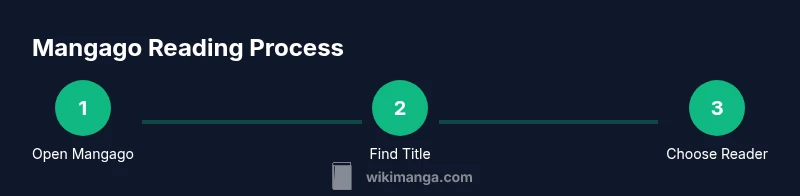
Open Mangago on your device
Launch your preferred browser or Mangago app and navigate to the Mangago homepage. Ensure you’re on a trusted domain to avoid phishing or fake mirrors. If pages load slowly, refresh, clear cache, or switch to a lighter image setting.
Tip: Clear cache or switch to a lighter reader mode if images load slowly. - 2
Search for your title or author
Use the search bar to type in the exact title, author, or keywords. If results are broad, apply filters like genre or status to narrow down the list. Open the most relevant result to view the title page.
Tip: Try alternate spellings or author names to broaden results. - 3
Choose your reader mode and layout
Select a reader mode (single-page, dual-page, or vertical scroll) that matches your device and preference. Adjust brightness, font size, and panel fit to optimize visibility and reduce eye strain. Switch between full-screen and windowed modes as needed.
Tip: Test a couple of layouts to find the most comfortable setup for long reads. - 4
Navigate chapters and pages
Open a chapter and use swipe gestures or on-screen arrows to move between pages. Use the table of contents to jump to a specific chapter. If a panel is unclear, double-tap to zoom for a closer view.
Tip: Use chapter previews to determine if a page contains your cliffhanger moment. - 5
Save titles to your library
Add titles to a personal library or favorites list for quick access. Consider tagging by genre or mood to help you curate future reads. Keep your progress updated so you can resume later from the same page.
Tip: Organize reads with tags to speed up future discoveries. - 6
Sync progress and review safety
If you have an account, sign in to sync reading progress across devices. Review safety tips and prefer official releases when available. Log out on shared devices to protect your data.
Tip: Enable cross-device sync if your account supports it.
Frequently Asked Questions
Is Mangago free to use for reading manga?
Mangago commonly allows free access to many manga titles through its reader pages. Availability and licensing can vary by title and region, so some content may require alternative official sources. Always prioritize legal releases when possible and respect creators' rights.
Mangago often offers free reading pages, but licensing varies by title. For legal and safe reading, prefer official releases when available.
Do I need an account to read manga on Mangago?
Reading on Mangago can often be done without an account, but creating one may unlock features like bookmarking, progress syncing, and personalized recommendations on supported platforms.
You can read without an account, but signing in unlocks bookmarks and syncing.
Is it legal to use Mangago for manga viewing?
Copyright and licensing vary by title; Mangago may host user-uploaded content. Check local laws and prefer official releases when possible to support creators and publishers.
Copyright rules depend on the title. Use official channels when available and be mindful of local laws.
How do I enable night mode or adjust reading preferences?
Open the reading settings within Mangago and switch to night mode or adjust brightness, font size, and panel layout to suit your comfort. Save these preferences if the option exists.
Open reading settings to enable night mode and adjust brightness and font size.
Can I download manga from Mangago for offline reading?
Mangago primarily provides online viewing of images. Downloading for offline use is generally not supported through official channels; always rely on permitted sources and respect copyright.
Offline downloads aren’t typically available from Mangago; use official releases when offline access is needed.
What should I do if a title isn’t available in my region?
If a title is unavailable in your region, search for official releases or licensed distributors that provide the same series. Consider subscribing to official platforms to support the creators.
If a title isn’t available, look for official releases in your region and support creators.
Watch Video
Highlights
- Start with a trusted Mangago access point to avoid scams
- Use searches and filters to discover titles quickly
- Personalize reading settings for comfort and focus
- Keep your library organized to streamline future reads