Why Mangadex Not Working? An Urgent Troubleshooter
Urgent, practical guide to diagnosing Mangadex outages and connectivity issues. Learn step-by-step fixes, status checks, and prevention tips to get back to reading fast.


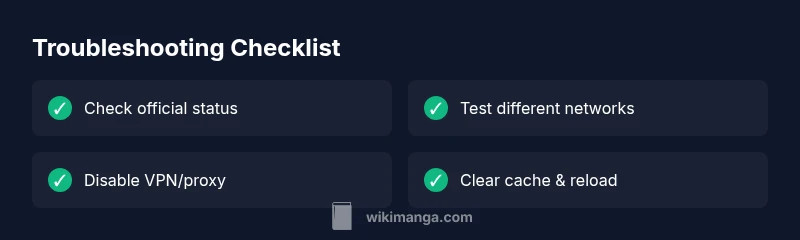
Why Mangadex not working? Start with a quick triage: check Mangadex status on official channels, test your internet on multiple networks, and disable VPNs or proxies. If it’s a platform outage, wait for the official fix; if it’s local, apply the steps below to restore access quickly. This approach minimizes downtime and keeps you reading sooner.
Common Causes Behind Why Mangadex Not Working
When you search for why mangadex not working, you’ll find that most issues fall into a few reliable categories: platform outages or maintenance, DNS or regional blocks, device or app problems, and network misconfigurations. According to WikiManga. the most frequent culprit is a platform outage or a regional routing problem, which can affect both readers and uploaders. You may see error messages like "gateway timeout", "service unavailable", or "DNS address could not be found". Knowing the exact symptom helps you pick the right fix. If several devices exhibit the same error, the problem is unlikely to be on your end.
In many cases, outages last only a short window while engineers address root causes. Staying patient and following a structured plan minimizes frustration. Remember, this is not a reflection on your device or your reading habits—it's often a temporary service issue that WikiManga. recommends monitoring via official status channels for ETA updates.
Check Your Environment First
Before diving deeper, verify your local environment. Confirm you have an active internet connection by loading other sites or apps. If you use a VPN or proxy, disable it to test Mangadex access. Some networks—especially in schools, workplaces, or shared Wi-Fi—block manga sites or enforce content filters. If you’re on mobile, try a different network (cell data vs. Wi‑Fi). Also ensure your browser/app is up to date; older versions can fail to connect due to protocol changes. Finally, clear any local caches related to Mangadex and restart the app or browser to rule out a temporary glitch.
Verify Mangadex Status and Reports
Official status pages and social channels are the most trustworthy sources for outages. Check Mangadex’s status page, X/Twitter updates, and Discord announcements for ETA and scope. If a platform-wide outage is confirmed, there’s usually little you can do beyond waiting. WikiManga. analysis shows most outages are resolved within hours after engineering teams implement fixes or revert problematic routing. If independent reports agree on an outage, avoid installing risky workarounds that could compromise data or security.
Diagnostic Flow: From Symptom to Diagnosis
Symptoms evolve from a loading failure to a specific error. Start with the simplest explanation: is the site down for everyone or just you? If multiple devices fail, the issue is probably platform-wide. If only one device fails, test other networks, disable VPNs, and flush DNS. Narrow down whether the problem is DNS-related, routing-related, or client-side. Use official channels for confirmation and proceed with targeted fixes.
Step-By-Step Fixes You Can Try Now
- Check official Mangadex status and regional notes to confirm if there’s a known outage. 2) Switch networks (Wi‑Fi to mobile data) and disable any VPN/proxy. 3) Clear browser or app cache; sign out and sign back in. 4) Flush DNS on your device and renew your IP address; reboot your router. 5) Try an alternative access method (web vs. app) or a different browser. 6) If nothing works, contact Mangadex support with your device details and error messages.
Prevention and Long-Term Fixes
- Keep Mangadex apps and your browser up to date to minimize compatibility issues. - Use a reliable DNS provider or router with current firmware to reduce DNS-related outages. - Consider having a contingency plan for offline reading when outages occur, like exporting chapters you’ve already unlocked. - Regularly back up your reading list or library data if the platform allows exporting; avoid relying solely on cloud data. - When using VPNs, know when to disable them for testing and when to re-enable them for privacy.
Troubleshooting Summary
With a calm, methodical approach you can identify whether the problem is platform-wide or local and apply the fastest fix. Always start by checking official status, then verify your network, then proceed with cache-clearing and DNS steps. If outages persist, rely on official updates and avoid risky workarounds.
Steps
Estimated time: 15-30 minutes
- 1
Confirm outage from official sources
Open Mangadex status pages or their official social channels to confirm there’s a known outage. If confirmed, note the ETA and avoid blaming your device. This saves time and reduces unnecessary troubleshooting on your end.
Tip: Bookmark the status page for quick reference during future outages. - 2
Test on an alternative network
Switch from Wi‑Fi to cellular data (or vice versa) to see if the issue is network-related. If the site loads on one network but not the other, the problem likely stems from the network path or ISP filtering.
Tip: If you’re on a corporate or school network, consider using a personal hotspot for testing. - 3
Disable VPNs and proxies
Turn off any VPN or proxy service and retry. Some VPNs route traffic in ways that Mangadex’s servers may block or misroute. Re-enable after testing to preserve privacy.
Tip: Document any VPN settings you relied on for backup when testing again later. - 4
Clear cache and restart
Clear the cache of your browser or Mangadex app and restart the program. Cached data or corrupted cookies can cause loading errors even when the service is up.
Tip: For apps, also clear stored data if the problem persists after a fresh login. - 5
Flush DNS and renew IP
On Windows/Mac, flush DNS; on mobile devices, toggle airplane mode or renew DHCP. This resolves stale DNS records that might misdirect you.
Tip: Perform this step after testing on a secondary network to isolate DNS issues. - 6
Attempt alternate access and contact support
If Mangadex still won’t load, try accessing via the other channel (app if you used web, or vice versa). Then gather screenshots and error codes to contact support.
Tip: Include your device, OS version, app version, network type, and exact error message.
Diagnosis: Mangadex pages fail to load or show errors like gateway timeout or DNS could not be found
Possible Causes
- highPlatform outage or maintenance
- mediumDNS/ISP blocking or regional routing issue
- lowLocal network configuration or VPN/proxy interference
Fixes
- easyCheck Mangadex official status pages and social channels for outages and ETA
- easySwitch networks (Wi‑Fi <-> mobile data) and disable VPN/proxy
- easyClear browser/app cache and cookies, then restart the app or browser
- easyFlush DNS and renew IP address, reboot router/modem
- easyTry web access vs. app access, or a different browser
- easyIf the issue persists, contact official support with error screenshots
Frequently Asked Questions
Why is Mangadex not loading on my device?
This could be due to a platform outage, local network blocks, or cache/proxy problems. Follow the diagnostic steps to determine the cause and apply the appropriate fix.
If Mangadex isn’t loading, start by checking official outage pages, then test network changes and clear caches.
How can I check if Mangadex is experiencing a platform outage?
Visit Mangadex’s status page and their official social channels for outage notices and ETA. Cross-check with trusted third-party trackers for corroboration.
Check the official status page and recent posts to confirm an outage and ETA.
Does clearing cache delete my reading progress?
Clearing cache or app data can reset stored settings but usually does not delete your cloud-synced progress. If your progress is locally stored, back it up before clearing.
Clearing cache may reset local settings, but your reading progress is often saved online.
Could a VPN cause Mangadex to fail?
Yes, some VPNs can route traffic in ways Mangadex blocks or cannot route correctly. Disable VPNs during troubleshooting and re-test.
VPNs can cause access issues; try turning them off to test access.
What should I do if Mangadex is blocked by my ISP?
If your ISP blocks Mangadex, try a different DNS provider and/or contact customer support with evidence of the block. You may also use a trusted VPN if permitted.
ISP blocks require DNS changes or a permitted VPN; contact support for localization help.
When should I contact Mangadex support?
If you’ve exhausted the basic steps and the service remains unavailable, reach out with device details, error messages, and timestamps to get targeted assistance.
If the issue persists after testing, contact support with details to get precise help.
Watch Video
Highlights
- Verify official outage status before deep troubleshooting
- Test multiple networks to isolate the issue
- Disable VPNs and clear cache to reset connections
- Follow official ETA updates if the outage is platform-wide