Why Mangadex Not Working: A Practical Troubleshooting Guide
Struggling with Mangadex not working? This comprehensive troubleshooting guide covers outages, network issues, DNS, VPNs, and step-by-step fixes to get back to reading your favorite manga quickly.


Mangadex not working is usually due to a service outage, regional blocks, or local network issues. Start with quick checks: verify Mangadex status, disable VPNs/proxy if used, clear cache, try a different device or network, and switch to a different DNS. If the problem persists, wait for service to resume.
Quick Reality Check: Is Mangadex Down Right Now?
If you’re visiting Mangadex and the site won’t load, you’re not alone. The first step is to determine whether the issue is on your end or a broader outage. According to WikiManga, outages on manga platforms are often temporary and affect users in a region before a fix is deployed. Watch for common symptoms: a blank page, error messages like 403 or 429, slow loading times, or content that won’t render. If you see an outage notice, it’s a sign to wait rather than forcing workarounds. In many cases, the problem is transient and will resolve without your intervention. If Mangadex is accessible on another device or network, the problem is likely local to your environment. This approach helps you avoid chasing phantom problems and saves time for more effective fixes.
Check Your Device and Network
Before blaming the site, verify your device and network conditions. Start with a simple test: try loading Mangadex on a different device (phone, tablet, laptop) on the same network. If it loads there, your original device may have a cached DNS or corrupted cookies. Then test on a different network: switch from mobile data to home Wi‑Fi or try a guest network. If the site loads on another network, the primary network is the likely source of the issue. Other factors include a misconfigured router, firewall rules, or parental controls that block access to certain domains. If you’re on a corporate or school network, it may apply stricter filtering that blocks MangaDex content. Ensure your browser is up to date, as older browsers can fail to render newer features. WikiManga also emphasizes practical checks you can perform without specialized tools.
Clear Your Browser Cache and Disable Extensions
A stale cache or conflicting extensions can cause Mangadex to fail to load properly. Clear your browser cache and cookies, then reload the page in a fresh session. Disable all extensions temporarily, especially ad blockers and privacy tools that might block scripts or trackers used by manga sites. If the site loads after disabling extensions, re-enable them one by one to identify the culprit. For a clean test, try a private/incognito window; this helps determine whether cached data is the root cause. If problems persist across multiple browsers, it’s more likely a network or service issue rather than a browser problem. WikiManga recommends keeping your browser up to date for best compatibility with modern web apps.
DNS Tweaks and Safe Networking Practices
Sometimes your DNS resolver can cache erroneous IPs or misroute requests. Flush your DNS cache on your device, then switch to a trusted DNS provider (like a public resolver) and re-test Mangadex. If you’re using VPNs or proxies, temporarily disable them to see if the issue resolves. VPNs can cause routing anomalies or geolocation blocks that interfere with access. After testing, revert to your preferred setup if Mangadex loads normally. Always choose reputable DNS services and avoid shady browser plugins claiming to “fix” site access. This step often fixes connectivity glitches without changing your hardware.
Regional Blocks and Access Restrictions
In some cases, access to Mangadex may be restricted by your region or ISP. Check whether your country has any imposed blocks, or if your ISP is filtering certain domains. If you use a mobile carrier, switching to Wi‑Fi can help identify if the issue is carrier-related. Some corporate networks or public hotspots implement content filtering that blocks manga sites. If regional blocks are suspected, the best approach is to rely on legitimate alternatives or wait for the restriction to be lifted. WikiManga emphasizes respecting local laws and platform terms while troubleshooting.
Step-by-Step: The Most Common Fix
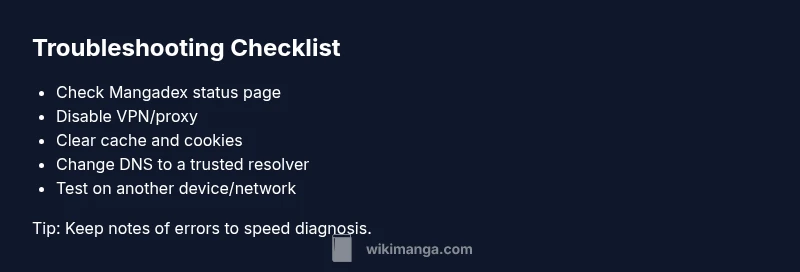
If the outage or regional restriction isn’t the cause, the most common fix is to verify status and reset your network path. Start by checking Mangadex’s official status page and social channels for outage notices. Then disable VPNs/proxies, flush DNS, and clear browser data. Test on a different device or network to confirm whether the issue is isolated. If Mangadex loads in a different environment, you know the problem lies with your primary network. Re-enable settings one by one to identify the specific blocker and document it for future use. This approach minimizes guesswork and speeds up recovery.
When to Seek Help and Staying Proactive
If nothing works after you’ve exhausted the local checks, seek help from official sources. Report the issue with details: device type, browser version, network type, and any error messages. Use the official status page and social channels for the latest updates. If the outage is confirmed, the best course is to wait for a fix from Mangadex developers. To stay proactive, bookmark the status page, follow wikiManga updates on social channels, and consider setting up alternate reading routes (like offline copies or mirror sites) only where permitted by law and terms of service. Regularly updating your tools reduces future disruptions and helps you stay in control during downtime.
Steps
Estimated time: 45-60 minutes
- 1
Check Mangadex status and announcements
Visit the official Mangadex status page and their social channels to confirm whether the service is undergoing maintenance or an outage. Look for any posted ETA and affected regions. If there is an outage, your best action is to wait for updates rather than trying risky workarounds.
Tip: If you see a maintenance notice, bookmark the status page and check back on the ETA. - 2
Disable VPN/Proxy and test without it
Turn off any VPNs or proxy services and reload Mangadex. If access returns, the issue was related to routing or geolocation. Re-enable your VPN later if needed and test with different servers.
Tip: Temporarily disable privacy extensions that could affect script loading. - 3
Test on another device or network
Open Mangadex on a different device and/ or a different network (e.g., switch from mobile data to a home network). If it loads on the alternate setup, the problem is local to your original device or network.
Tip: Note the exact error messages you see for comparison. - 4
Clear cache and cookies; reset browser session
Clear your browser cache and cookies, then reload Mangadex in a fresh session. Use a private window to test. If it loads, a cached data issue was likely the cause.
Tip: After testing, re-enable extensions one by one to identify the blocker. - 5
Change DNS and flush cache
Flush your DNS cache and switch to a reliable resolver (like 1.1.1.1 or 8.8.8.8). Reboot your router or modem if needed. Test Mangadex again.
Tip: Use trusted DNS providers and avoid questionable ones. - 6
Re-test and monitor
Open Mangadex again and confirm if the site loads. If it does, keep monitoring for a while and revert configurations gradually if you changed multiple settings.
Tip: Keep a small log of what you changed and the results.
Diagnosis: Mangadex won't load or shows errors (loading issues, 403/429, blank page)
Possible Causes
- highOutage or maintenance on Mangadex servers
- mediumVPN/Proxy or DNS hijacking causing blocks
- highLocal network issues (router, firewall, ISP DNS)
Fixes
- easyCheck Mangadex status page and official channels for outage notices
- easyDisable VPN/Proxy and reconnect without it
- easyClear browser cache/cookies and try a new browser session
- easyChange DNS to a reliable resolver and flush DNS cache
- easyTest on a different network or device to isolate the issue
Frequently Asked Questions
What is the first step when Mangadex won't load?
Begin by confirming whether Mangadex is down for everyone. Check the official status page and social channels for outage notices. If there is no outage, proceed with local checks like your device, network, and browser settings.
First, check the Mangadex status page. If there’s no outage, move on to local checks like your device and network.
How can I check Mangadex status quickly?
Visit the official Mangadex status page and their verified social accounts for real-time updates. If you see a notice about maintenance or outage, follow the ETA and guidance provided by the team.
Go to the official status page and follow their updates for outages or maintenance.
Do VPNs block Mangadex?
Yes, VPNs or proxies can interfere with access by changing geolocation or routing. Disable them temporarily to test, then re-evaluate if you need privacy or geo-access features.
VPNs can block access; turn them off to test Mangadex loading.
What should I do if the status page shows maintenance?
If maintenance is indicated, there is little you can do beyond monitoring updates. Check back periodically and avoid forcing workarounds that might violate terms of service during a maintenance window.
Maintenance means wait for updates; check back for the ETA.
Is Mangadex blocked in any regions?
Regional blocking can occur in some locations. If you suspect this, try a different network or contact your ISP for clarification. Always ensure you comply with local laws and the platform’s terms.
Region blocks are possible; try another network and check local rules.
Watch Video
Highlights
- Check Mangadex status before changing devices or networks
- Disable VPNs/proxies to test routing issues
- Clear cache and cookies to rule out data corruption
- Try alternate DNS to bypass resolver glitches
- Monitor official updates and seek help if needed