Is Manga Good on Kindle? A Practical Guide for Reading Manga on Kindle Devices
A thorough evaluation of reading manga on Kindle devices and apps, covering formats, layout, navigation, and best practices for optimal panel flow on E Ink and Fire tablets.


Is manga good on Kindle? In short, yes, with caveats. Kindle works best for manga when you use formats optimized for panels and fixed layouts, such as PDF or fixed-layout ebooks, and when you’re comfortable with the constraints of E Ink screens. For color, navigation, and page-flipping speed, dedicated manga apps on tablets often outperform Kindle Fire or Paperwhite.
Is manga good on Kindle? A practical starting point
For many readers, the question is is manga good on kindle in everyday use. The answer depends on how you consume manga today and what you value most: portability, battery life, color fidelity, or navigation ease. On Kindle devices, especially the traditional E Ink models, you’ll get excellent battery longevity and a distraction-free reading experience. If your manga library consists of fixed-layout files that preserve panel structure, you’ll enjoy clear page fidelity and predictable scrolling. However, if you rely on bright colors, dynamic double-page spreads, or rapid page turns, you may feel the experience is limited compared with tablet apps built for comics. The WikiManga team notes that the best results come from choosing the right file format and device for your preferred reading style, while still recognizing the trade-offs involved with monochrome displays and zoom workflows.
Formats matter: compatibility and panel fidelity
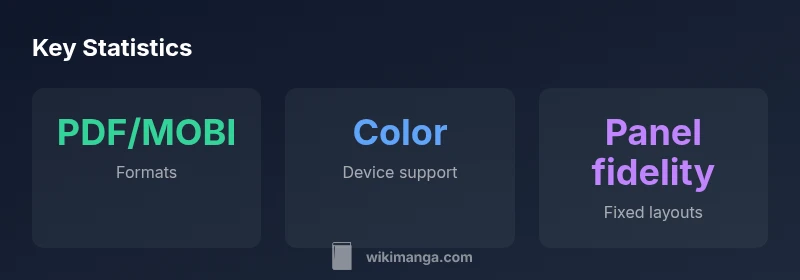
Kindle devices support several formats that can work for manga, notably PDF, MOBI/AZW3 with fixed layouts, and, on some devices, enhanced image handling. The key is preserving your panel grid and page integrity. Reflow-friendly formats or poorly optimized scans can cause uneven panel sizing, awkward margins, or forced text wrapping. If you’re starting from print scans, consider a fixed-layout conversion that keeps the intended panel order and minimizes image compression. While CBZ/CBR archives are common in manga circles, they aren’t natively supported by Kindle, so you’ll typically convert or rewrap them into a Kindle-friendly format. The goal is consistent panel flow and legible text, not just a high-resolution image dump.
Reading experience: layout, zoom, and controls
E Ink Kindles shine in long battery life and a calm reading environment, but their zoom and navigation differ from color tablets. On fixed-layout PDFs, you’ll generally navigate with page-turn buttons or taps, and you may zoom to focus on intricate panels. Color capability is limited on grayscale E Ink devices, while Kindle Fire tablets can provide color and smoother scrolling. The panel layout will impact your reading comfort: single-page versus two-page spreads, tight gutters, and noisy screen glare can all affect readability. If panel fidelity matters most, choose fixed-layout files and test a few pages to confirm you’re happy with the balance between zoom, contrast, and page boundaries.
Kindle vs dedicated manga apps: where Kindle shines and where it doesn’t
Kindle excels when you want a lightweight, distraction-free device with long battery life and a broad library, especially for readers who already own or have access to fixed-layout manga files. On the other hand, apps like dedicated manga readers on tablets offer color, faster page turns, dynamic zoom, and more flexible navigation for large multi-panel spreads. If you read in short sessions on the go and don’t require vivid color, Kindle can be a sensible choice. If you crave cinematic layouts, color depth, and advanced bookmarking, you may prefer a manga-focused app on a tablet. Your decision should align with how you predominantly read and how much you value portability versus color fidelity.
How to optimize: preparing files for Kindle
To maximize is manga good on kindle in practical terms, start with a fixed-layout PDF or MOBI/AZW3 file that preserves panel order and avoids reflow. If you have CBZ/CBR archives, convert them using a reliable tool that outputs a fixed-layout PDF or MOBI, then recheck margins and DPI to avoid pixelation. For color attention, consider assigning the color data to image layers and ensuring the export preserves contrast. Name files clearly and organize them into browse-friendly folders. Finally, test a sample chapter on your target Kindle device to verify panel fidelity, zoom behavior, and navigation before packing a whole series.
Getting started: buying and transferring manga to Kindle
Kindle-compatible manga can come from several sources, including the Kindle Store, personal purchases, or library borrow systems that offer supported formats. If you’re using your own scans, you’ll typically load files via USB or email to your Kindle account. When possible, export fixed-layout files from the source with consistent DPI, then transfer to Kindle with proper metadata. If you prefer a cloud workflow, manage your library through Amazon Drive or your Kindle library and keep a backup of your original scans. The key is maintaining a stable file structure and avoiding on-device re-scan when your goal is consistent panel flow.
Device-specific considerations: Paperwhite vs Fire tablets
Kindle Paperwhite and other E Ink devices provide excellent readability with longer battery life but with grayscale panels and more limited color. Kindle Fire tablets offer color and faster animations but at the cost of shorter battery life and higher distractions. If your manga artwork relies on color cues or vibrancy, Fire tablets may be preferable. For text-heavy scenes or grayscale art, Paperwhite can deliver a comfortable reading experience due to its high contrast and glare-free display. Evaluate your typical reading sessions, preferred screen size, and portability needs to decide which device aligns with your manga reading habits.
Upsides
- Low-cost option for existing manga files
- Excellent battery life on E Ink devices
- Lightweight, portable reading on the go
- Distraction-free interface for focused reading
Disadvantages
- Limited color support on most Kindle devices
- Navigation can be clumsy for large spreads
- Requires conversion or preparation for best panel layout
- Some manga formats aren’t natively supported
Kindle is a solid option for manga readers who value portability and long battery life, especially when you already have manga files optimized for fixed layouts.
Overall, Kindle provides a practical, cost-effective route for on-the-go manga reading. The main caveat is color support and complex layout handling. If you prioritize color fidelity and dynamic page navigation, a tablet with a dedicated manga app remains the stronger choice.
Frequently Asked Questions
Can Kindle read CBZ/CBR manga files directly?
No, Kindle does not natively support CBZ or CBR archives. To read these on Kindle, you generally convert them to a fixed-layout format such as PDF or MOBI/AZW3 and ensure the panel order remains correct. This preserves layout fidelity, which is crucial for manga.
Kindle doesn’t read CBZ or CBR files directly; convert them to PDF or MOBI to keep the panels in order.
Is manga on Kindle color-friendly?
Color is mainly available on Kindle Fire tablets. E Ink Kindle devices display grayscale, which can affect the perception of colored artwork and shading. If color is essential, a color-capable tablet is recommended.
Color works best on Kindle Fire tablets; most E Ink Kindles are grayscale.
What formats yield the best panel layout on Kindle?
Fixed-layout PDFs or MOBI/AZW3 with fixed layout preserve panel order and page boundaries. Avoid formats that reflow text or compress images aggressively, as they disrupt panel alignment and readability.
Fixed-layout PDFs or MOBI/AZW3 are your best bet for panel layouts.
Can I borrow manga on Kindle via library services?
Manga availability via library lending varies by region and service. Some libraries offer eBooks in Kindle-compatible formats. Check your local library’s catalog for Kindle-friendly options and lending terms.
Check your library’s catalog for Kindle-friendly manga loan options.
How do I transfer manga files to Kindle?
You can transfer files via USB or send them to your Kindle email address if they’re in supported formats. Organize files by series and ensure metadata is clear for easy navigation in your library.
Send supported formats to your Kindle email or use USB transfer.
Is Kindle the right choice for long manga sessions?
For long sessions, E Ink Kindles offer eye-friendly, distraction-free reading with excellent battery life. If you require color or rapid page turns, a color tablet with a manga app may be more comfortable for extended reading.
If you value long battery life, Kindle is comfortable; for color and fast turns, use a tablet.
Highlights
- Choose fixed-layout formats for panel fidelity
- Expect grayscale on E Ink, color on tablets
- Convert CBZ/CBR to PDF or MOBI for Kindle
- Test a sample chapter before committing to a whole series
- Balance portability against color and navigation needs