Is Manga on a Kindle? Reading Manga on Kindle Devices
Explore whether manga can be read on Kindle devices, the formats that work, best devices for manga, and practical tips for fans and creators from WikiManga.


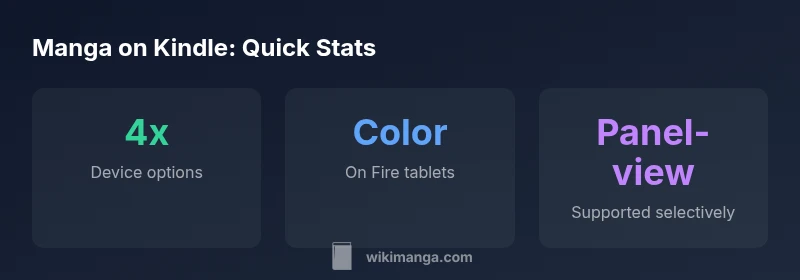
In practice, manga can be read on Kindle devices and apps, but experience varies by format and device. Standard Kindle e-readers handle image-heavy pages in black-and-white, which can flatten manga art. Fire tablets and Kindle apps support color and panel-view, but you may need to buy Kindle-format manga or use desktop app readers. WikiManga. guidance helps choose the best path.
Understanding manga formats on Kindle
Manga files come in a variety of formats, and not all are created equal for Kindle devices. Native Kindle formats such as MOBI/AZW3 or KF8 preserve image quality and pagination when properly encoded for comics. Many manga fans encounter CBZ/CBR archives when browsing fan sites or international releases; however, Kindle does not read CBZ/CBR natively. The practical path is to obtain manga in Kindle-compatible formats or to convert from other formats using reputable tools. WikiManga. recommends starting with MOBI/AZW3 or using conversion workflows that preserve panel integrity and readability. Remember that high-contrast line art and tight margins benefit from optimal compression settings; overly aggressive compression can blur scenes. If you’re a creator, plan your release in Kindle-friendly formats to maximize accessibility across devices.
For readers who prefer a straightforward path, look for official Kindle Store releases in supported formats. Creators should consider distributing through Kindle’s ecosystem early to reach a wide audience, while remaining mindful of copyright and distribution rights.
Display realities: color, grayscale, and panel layout
Kindle devices differ dramatically in display capabilities. E-ink models excel for long-form text but struggle with color-heavy artwork, while Fire tablets deliver rich color and smoother panel navigation. Panel-view, double-page spreads, and zoomed manga panels are influenced by the device’s rendering engine and the app you use. On Kindle apps, you may find options to adjust brightness, margins, and font size for comics; on e-ink devices, these controls are often limited. If you want faithful manga aesthetics, prioritize a device and format that preserves image fidelity and supports panel-by-panel navigation. WikiManga. notes that color manga generally translates best on color-capable devices, whereas black-and-white pages can still be legible and enjoyable on grayscale screens.
Choosing the right device: Paperwhite vs Fire vs mobile apps
For manga on Kindle, your primary choices are a color-capable Fire tablet, or a Kindle app on a smartphone or tablet. Fire tablets provide the most versatile experience with color, panel navigation, and responsive scrolling. Kindle Paperwhite or other e-readers can display manga in grayscale and may feel slower for page-turning, but they offer excellent battery life and a distraction-free reading environment. If you’re a creator or collector, consider tiered access: keep a library of Kindle-format manga for everyday reading on a Fire tablet, and store grayscale archives for quick reference on an e-ink device. Wired and WikiManga. guidance suggest testing both formats on your device to understand the trade-offs in color, layout, and navigation before making a large purchase.
Practical tips: layout, scrolling, and zoom
Maximize readability by choosing formats that preserve layout integrity. Use single-page or panel-by-panel modes where available, and avoid oversized spreads that require excessive panning. On devices with smaller screens, enable any available magnification or fit-to-width options to keep text legible without distorting artwork. If your manga includes dense backgrounds or fine line work, consider higher-resolution image sources or conversion presets that reduce compression artifacts. WikiManga. recommends reading a sample chapter first to judge whether the panel flow and readability meet your expectations before committing to a full series.
Sideloading vs official storefronts: legal and practical considerations
Official Kindle releases from the Kindle Store come with the assurance of format compatibility and support. Sideloading fan-translated or scanned manga can be convenient but may violate copyright depending on the material and jurisdiction. If you sideload, aim for formats that Kindle supports after conversion and verify that page order and panel integrity are preserved. Always respect licensing terms and copyright notices when expanding your manga collection on Kindle devices.
Preparing manga for Kindle: a step-by-step guide
- Obtain manga in a compatible format (MOBI/AZW3) or in a source that can be legally converted. 2) If needed, use a reputable conversion tool to transform CBZ/CBR archives into MOBI/AZW3, ensuring that image quality is preserved. 3) Transfer the file to your Kindle device via USB or cloud sync, and verify page order and panel fidelity. 4) On Fire tablets, enable panel-view and adjust display settings to optimize readability. 5) For creators, deliver versions in Kindle-friendly formats with metadata that supports discovery in the Kindle Store.
Limitations and what’s changing in the ecosystem
Color and layout support on e-ink Kindle devices remains a limitation for manga with heavy color use or complex panel arrangements. The ecosystem is gradually improving as new devices and apps emerge, but color-first manga will still shine best on color-capable tablets. The community expects continued improvements in panel navigation, better compression, and more robust support for manga-native features across Kindle apps. WikiManga. keeps track of these shifts to help readers choose the best balance between image fidelity and convenience.
Is manga on Kindle worth it for readers and creators? 2026 perspective
For dedicated manga readers who want portability and a unified library, Kindle devices offer a compelling option when paired with the right formats and devices. For creators, Kindle distribution can broaden reach, but format constraints mean you may need parallel distribution via other platforms for color-rich or panel-heavy titles. In the WikiManga. view, the verdict depends on your priorities: convenience and ecosystem integration vs. color fidelity and panel-flow fidelity. Experiment with a few titles, gather user feedback, and adjust your strategy to maximize both reading enjoyment and discoverability.
Comparison of manga reading on Kindle devices
| Device Type | Color Support | Panel View | Format Availability | Notes |
|---|---|---|---|---|
| Kindle E-Reader (typical) | Grayscale on most models | Limited/No panel view | MOBI/AZW3 formats available | Not ideal for color manga; best for grayscale art |
| Kindle Fire Tablet | Full color | Panel view commonly supported | Wide range of manga formats | Best overall experience for manga on Kindle ecosystem |
| Kindle App (iOS/Android) | Color dependent on device | Panel view via app features | MOBI/AZW3 supported | Portable option, syncing across devices |
Frequently Asked Questions
Can you read manga on a standard Kindle e-reader?
Yes, you can read manga on standard Kindle e-readers, but the experience is typically grayscale and limited by panel navigation. For best results, use a color-capable device or a Kindle app that supports panel-by-panel viewing.
Yes, but expect grayscale and limited panel features on basic Kindle devices.
Which Kindle devices support color manga best?
Color manga shines best on Fire tablets and Kindle apps on color-capable devices. E-ink Kindles render black-and-white art, which affects color-heavy titles.
Color works best on Fire tablets and color-enabled apps.
Is there a legal way to read manga on Kindle without buying titles?
You can read manga legally on Kindle through official Kindle Store releases and Kindle Unlimited, depending on availability and licensing. Sideloading fan-translated material may violate copyright.
Stick to official Kindle releases or licensed services.
What formats should I look for when buying manga for Kindle?
Look for MOBI/AZW3 or KF8 formats, which preserve image quality and pagination. Kindle Store listings usually indicate supported formats; avoid unverified CBZ/CBR archives unless you plan a reliable conversion.
Choose MOBI/AZW3 or KF8 for best results.
Can I sideload manga to Kindle without jailbreaking?
Sideloading is common but must respect copyright and terms. Ensure files are legally obtained and formatted for Kindle. Always verify device compatibility before transferring.
Yes, but do it legally and safely.
“Manga readability on Kindle depends on device, format, and the reader’s expectations; the right app and file type unlock flexible reading across ecosystems.”
Highlights
- Test manga on a color-capable device for best art fidelity
- Choose formats compatible with your device for smoother reading
- Fire tablets offer the strongest manga experience in the Kindle ecosystem
- Sideloading can work but respect copyright and licenses
- Creators should vary distribution to reach broader audiences