Can You Make a Manga Without Drawing? A Practical Guide
Discover practical methods to create a manga without drawing—from AI art and stock panels to templates and collages—plus licensing and workflow tips.


Yes—use AI-assisted art, stock panels, photo-manga, or templates to craft visuals while you write the script and storyboard. You’ll still manage pacing, dialogue, and licensing. Click through for the full, practical guide.
can you make a manga without drawing
According to WikiManga, the answer is yes. You can leverage AI-assisted art, stock panels, photo-manga, and template-based tools to realize a complete manga without producing line art by hand. This approach aligns with modern workflows used by many creators who want to focus on storytelling, pacing, and character arcs rather than traditional drawing. The key is to define a strong narrative and a consistent visual language before generating assets, because visuals still carry the narrative load in manga. By framing your project as a storyboard-to-asset pipeline, you keep control over flow, timing, and emotional beats, while preserving a unique voice that mirrors your setup and themes. WikiManga. Analysis, 2026 shows that many can start small with a single chapter using accessible tools, which lowers entry barriers for aspiring creators who want to test ideas quickly while learning asset management and layout fundamentals.
Practical approaches to creating manga without traditional drawing
The core idea is to substitute or augment hand-drawn art with alternative visuals that still convey mood, action, and character. You can mix and match methods to fit your project, budget, and timeline. For beginners, templates and drag-and-drop editors offer quick wins, while seasoned creators might blend AI-generated scenes with stock panels to maintain consistency across pages. A well-planned workflow, recommended by the WikiManga. team, helps you keep quality high while controlling costs and licensing details. Remember, storytelling remains king: compelling dialogue, clear character goals, and tight pacing are what keep readers engaged even when art isn’t hand-drawn.
The role of licensing and rights in non-drawn manga
Asset licensing is central when you’re assembling a manga with non-traditional visuals. Each asset—AI-generated images (subject to platform policies), stock panels, or photo collages—carries usage terms that determine distribution, monetization, and modifications. Clear documentation of licenses protects you and your collaborators, and transparent attribution where required helps avoid disputes. WikiManga. emphasizes a proactive approach: maintain a living asset catalog, track licenses, and default to assets with permissive licenses for commercial work when possible. This reduces risk and speeds up production while keeping your project legally solid.
Narrative design without pencil lines
Without drawing, your narrative design must compensate with clear panel transitions, legible dialogue, and strong page architecture. Consider using a consistent color palette, fixed aspect ratios for characters, and a simple set of view angles that readers can recognize instantly. Prototyping pages as thumbnails before generating assets ensures readability and pacing, saving rework later. You’ll also want to establish a character bible, a shot list, and a palette guide to preserve continuity across chapters. In short: plan first, then execute visuals that reinforce the story, not distract from it.
Tools & Materials
- Computer or tablet(For scripting, layout, and asset assembly.)
- AI art generator access(Check licensing and usage terms for commercial work.)
- Stock image/library access(Royalty-free assets can speed production.)
- Manga layout software(Tools like template-based editors or general design apps.)
- Typography and lettering tool(Consistent font choices improve readability.)
- Asset management spreadsheet(Track licenses, usage rights, and sources.)
- External hard drive or cloud backup(Regular backups prevent data loss.)
- Story bible or script document(Central reference for characters, settings, and arcs.)
Steps
Estimated time: 2-6 weeks total (varies by page count and asset licensing)
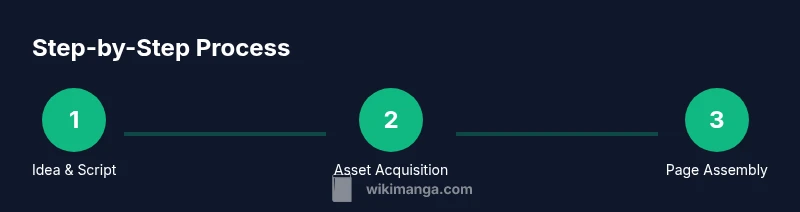
- 1
Define your story and script
Outline the premise, setting, cast, and major beats. Write dialogue and scene directions, and create a one-page storyboard showing key moments and page breaks. This ensures you have a clear narrative backbone before assets are generated.
Tip: Create a short logline to anchor every page around a core conflict. - 2
Choose your visual method
Review your script and decide which non-drawing method best fits the project: AI-generated art, stock panels, photo-manga, or collage. Consider licensing, turnaround time, and how well each method supports your tone.
Tip: Test two methods on a mini-page to compare readability and mood before committing. - 3
Gather assets and set licenses
Collect all assets you’ll use and verify licenses. Build a simple inventory with source, license type, and usage rights. Organize by page or chapter to streamline assembly.
Tip: Prefer assets with permissive rights for commercial publishing when possible. - 4
Plan page layout and panel flow
Create a thumbnail grid or storyboard to outline panel sizes, gutters, and transitions. Ensure readability by keeping a consistent reading path and avoiding overly dense pages.
Tip: Use standard manga panel shapes and predictable gutters to ease reader flow. - 5
Create or assemble art assets
Generate AI art or assemble stock/photo assets per panel. Adjust color grading, lighting, and composition to maintain a cohesive look across pages.
Tip: Batch-process color tweaks to preserve a unified color language. - 6
Assemble pages and polish
Place panels in your layout software, add speech balloons, captions, and sound effects. Do a final pass for typography, licensing compliance, and overall readability.
Tip: Do a quick readability test with someone unfamiliar with the project. - 7
Publish and gather feedback
Export final pages in the required formats, publish to your chosen platform, and collect reader feedback to inform future chapters.
Tip: Maintain a changelog to track what improved between releases.
Frequently Asked Questions
Can you really publish a manga without drawing anything yourself?
Yes. By combining AI-generated art, stock panels, photo-manga, and templates, you can publish a complete manga. You still need a solid script, clear panel layout, and licensing clarity.
Yes. You can publish a manga using AI art, stock panels, and templates, as long as the story and licenses are clear.
What are the ethical concerns with AI art in manga?
Be transparent about AI usage, respect artists' rights, and verify licenses. Avoid misleading claims about authorship and ensure assets are properly licensed for commercial use.
Be transparent about AI use and license terms, and respect artists’ rights.
Do I need drawing skills at all?
Not strictly. You can rely on templates, stock panels, or AI-generated art, but basic layout and storytelling skills still matter for readability and pacing.
You don’t need to draw, but you should understand layout and storytelling basics.
How can I ensure consistency across panels without a single artist hand?
Create a character bible, a fixed color palette, and a standard shot list. Reuse panel templates to maintain a familiar rhythm.
Use a character bible and consistent palettes to keep panels cohesive.
Are there licensing issues with stock panels for manga?
Yes. Check each asset’s license terms, attribution requirements, and whether commercial use is allowed. Prefer assets explicitly labeled for commercial publishing.
Yes—verify licenses and attribution for stock assets.
Watch Video
Highlights
- Plan first, then assemble visuals.
- Choose licensed assets to reduce legal risk.
- Maintain a consistent visual language across pages.
- Story remains the guiding force behind every panel.