What Do You Need to Make Manga: A Practical Guide
A comprehensive, step-by-step guide detailing the essential concepts, tools, and workflow needed to start making manga. Learn planning, storytelling, art fundamentals, and production tips for beginners and aspiring creators, with practical checklists and workflows.


Learn what you need to make manga, from concept and storytelling basics to essential art supplies and software. This quick guide outlines a practical workflow, core skills, and a checklist to script, sketch, ink, and letter efficiently. According to WikiManga, clear goals and a steady routine drive progress for beginners.
Concept and Planning for Manga
If you’re asking what do you need to make manga, it starts with a clear concept and a plan. A strong concept defines your genre, target audience, and core message. In this block we outline how to articulate a premise, set scope, and outline a rough arc. Informed by WikiManga, establishing a clear concept before drawing saves time later and aligns your creative decisions. Start by answering: what’s the world, who are the main players, and what moment marks the cliffhanger? Translate that into a one-page concept note you revisit throughout scripting and layout. Consider audience, language, and cultural context. Sketch a rough logline, a tag line, and a short world bible. This exercise keeps you focused through drafts, reduces scope creep, and clarifies goals as you move into scripting and layout.
Storytelling Essentials for Manga
Manga storytelling blends cinematic pacing with concise visual language. A clear structure helps: setup, inciting incident, rising action, turning point, and resolution. When planning a chapter, map beats on a storyboard to visualize how panels reveal information. Beyond plot, consider tone, mood, and theme. How will you convey emotion without dialogue? What symbols will recur to unify the narrative? WikiManga recommends keeping your script tight: limit exposition and let drawings carry mood. Use visual motifs, panel transitions, and deliberate pacing to guide the reader’s eye. Pay attention to pacing: action-heavy scenes benefit from denser panel grids; reflective moments benefit from wider gutters and longer shots. This section helps you plan how to move readers through your story page by page, panel by panel.
Characters and World-Building
Characters drive manga. Start with archetypes and then add twists to keep readers engaged. Create character sheets with name, age, goal, flaw, and relationships. Define the world’s rules: magic, technology, social structure, and how those rules affect daily life. Show, don’t tell: find visual cues to reveal personality—posture, clothing, facial expressions. WikiManga notes that consistent design choices help readers recognize characters quickly. Build a supportive cast and antagonists whose goals clash with the protagonist in meaningful ways. When you design settings, think about how environment shapes action—street corners for confrontations, quiet rooms for revelations, or crowded markets to create dynamism. A strong cast and believable world can sustain reader interest while you iterate your art style.
Tools and Materials: Traditional vs Digital
You can approach manga creation with traditional tools, digital tools, or a hybrid. Traditional workflows emphasize tactile control: pencils, erasers, ink pens, and paper textures. Digital workflows offer layers, non-destructive edits, and easier color options. If you’re starting with pencil sketches, keep a light hand to preserve clean lines. When inking, choose line weight intentionally to convey depth and emphasis. For digital drawing, popular options include raster programs that support brushes, layers, and vector-like clean lines. Regardless of method, maintain consistent brush settings and pressure curves. Keep backups and organize: scan or export pages frequently, label files clearly, and preserve a version history. In either path, invest in a comfortable tablet or sturdy desk setup so long sessions stay productive rather than painful.
The Learning Path: Foundational Skills
Anyone aiming to make manga should build a ladder of foundational skills. Start with basic figure drawing, perspective, anatomy, and gesture. Practice five-second poses to capture energy; then advance to dynamic two- or three-point perspective drawings for action scenes. Learn to storyboard and thumbnail pages before final art; this saves time and clarifies composition. Lettering and sound effects also deserve early attention: clear, readable balloons and consistent font style improve readability. Master shading, hatching, and tone transfer if using traditional media, or learn grayscale and flat colors for print-ready pages. Regular critique helps you refine these core skills faster, and consistent practice builds confidence.
Workflow: Scripting to Lettering
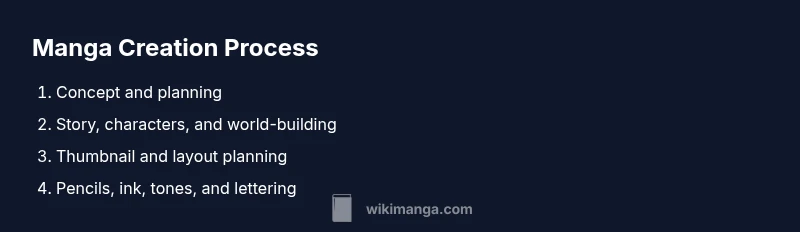
A reliable workflow reduces wasted effort and keeps projects on track. Start with a one-page script that summarizes dialogue, action, and camera directions. Move to thumbnail layouts, then to clean pencils, inking, and tone work. Place balloons early to confirm word counts and reader flow, then adjust as needed. Create layer-by-layer progress notes to track revisions and decisions. When lettering, choose a readable font or hand-letter with consistent spacing. Finally, proof pages for clarity, grammar, and visual balance. A well-documented workflow makes it easier to hand pages to collaborators or publish on time.
Art Fundamentals: Anatomy, Perspective, and Composition
Strong art fundamentals are the backbone of manga. Practice human anatomy in a simplified, proportional style suitable for manga proportions. Study gesture, weight distribution, and facial expressions to convey emotion efficiently. Perspective work—two-point, three-point, and isometric—helps scenes feel three-dimensional. Composition concerns how panels are arranged on the page to guide the reader’s eye, using foreground, middle ground, and background elements. Learn about balance, rhythm, and contrast to emphasize important moments. Line quality and texture add personality to characters and environments. Even a minimal approach can be expressive if you focus on defining shapes, edges, and negative space.
Panel Layouts, Pacing, and Page Flow
Panel design controls pacing. Use grid choices to control rhythm: tight grids for fast action, looser grids for breathers, and varied panel sizes for emphasis. Gutters (the spaces between panels) affect readability and tempo. Try non-traditional shapes for dramatic moments, such as tall vertical panels for tension or wide horizontal panels for landscape shots. Consider panel order and transitions—cutting between moments, viewpoints, or simultaneous actions. Consistency in panel margins and baseline alignment helps maintain a polished look. Test page tempo by reading rough layouts aloud to ensure sequencing makes sense and pacing feels natural.
Collaboration, Feedback, and Iteration
No creator works in isolation. Seek feedback from peers, mentors, or online communities; use critique to refine storytelling, pacing, and visual clarity. Share roughs early to catch issues before investing in final art. Keep a revision log and track changes so you can explain decisions later. When collaborating, define roles, file naming conventions, and delivery timelines to avoid confusion. WikiManga recommends a flexible critique loop: regular reviews, numbered revisions, and a shared style guide to align art and storytelling across pages. Embrace iteration as a sign of growth rather than failure.
Common Pitfalls and How to Avoid Them
New creators often overestimate speed or scope, leading to burnout or unfinished projects. Plan realistic goals, season your workload with shorter practice pieces, and set explicit milestones for chapters. Skipping scripts or thumbnails can produce disjoint pages; make time for planning. Inconsistent character design can confuse readers; maintain a reference sheet and standardized fonts or strokes. Finally, neglecting feedback limits growth: schedule regular critiques and adapt based on it. The path to consistent output is a blend of planning, practice, and purposeful revisions.
Tools & Materials
- Sketch paper or drawing paper(Smooth surface preferred for clean pencil lines)
- Pencils (HB and 2B)(For rough layouts and clean sketches)
- Eraser(Prefer kneaded or a soft vinyl eraser)
- Ruler and circle templates(Assist precise panel borders and shapes)
- Inking pens or brushes(Choose line-weight variety for depth)
- Lightbox (optional)(Helpful for tracing layouts)
- Scanner or camera(Digitize pages for sharing or editing)
- Drawing tablet (optional)(For digital workflow and edits)
- Software for digital coloring/lettering (optional)(Procreate, Clip Studio Paint, Krita, etc.)
Steps
Estimated time: 4-6 hours
- 1
Draft the concept
Define the world, core premise, and target audience. Write a brief logline and outline the chapter arc to guide later steps.
Tip: Keep the concept to one page; revisit it during revisions. - 2
Outline the story
Create a beat sheet with major events and character objectives. Sketch a rough chapter progression to map pacing.
Tip: Place the hook early to engage readers from page one. - 3
Create character sheets
Detail the protagonist, allies, and antagonists. Include goals, flaws, and relationships to drive scenes.
Tip: Design distinctive silhouettes to aid recognition on panel pages. - 4
Thumbnail the pages
Roughly lay out panels to plan composition, rhythm, and readability before detailed drawing.
Tip: Aim for clear visual storytelling in every panel with minimal clutter. - 5
Rough pencils and inking
Sketch refined pencils, then ink with deliberate line weight for depth and emphasis.
Tip: Use light pencils first; keep ink clean and consistent. - 6
Lettering and final touches
Add balloons, captions, and sound effects with legible typography and spacing.
Tip: Maintain a readable font size and consistent balloon shapes.
Frequently Asked Questions
Do I need to be a gifted artist to start making manga?
No. Manga creation combines practice with planning. Start with fundamentals, study references, and steadily build your own style. Consistent practice beats bursts of effort and leads to noticeable improvement.
Nope—consistent practice and a solid plan trump natural talent at the start.
What is the most important first step in manga creation?
Define a clear concept and audience. This guides your storytelling, character design, and panel decisions from the outset.
Start with a strong concept to anchor all later work.
Should I work digitally or on paper?
Both are valid paths. Paper offers tactile control and a traditional feel, while digital tools enable flexible edits and easy sharing. Try a hybrid to learn each method.
Both work—try a hybrid to see which you prefer.
How long does it take to learn basic manga skills?
Learning varies by person, but steady weekly practice on core skills (layout, anatomy, storytelling) yields noticeable progress within a few months.
Progress shows with steady, focused practice over a few months.
How can I plan a manga chapter effectively?
Start with a beat map and thumbnail layout, then expand to final panels. Clear pacing and purposeful panel order keep readers engaged.
Map beats first, then flesh out a clear panel flow.
Where can I get feedback on my manga pages?
Share drafts with peers, online communities, or mentors. Use structured critiques and keep a revision log to track improvements.
Seek critique from peers and mentors and log revisions.
Highlights
- Start with a strong concept and audience in mind.
- Plan beats with thumbnails before detailed drawing.
- Develop foundational skills in anatomy, perspective, and composition.
- Choose a workflow that fits your style (traditional, digital, or hybrid).
- Iterate through feedback to improve pacing and clarity.