How Manga Is Made: A Practical Guide to Creation
Explore the full process of manga creation, from planning and scripting to inking and publication. Learn traditional and digital workflows, essential tools, and practical tips for aspiring mangaka.


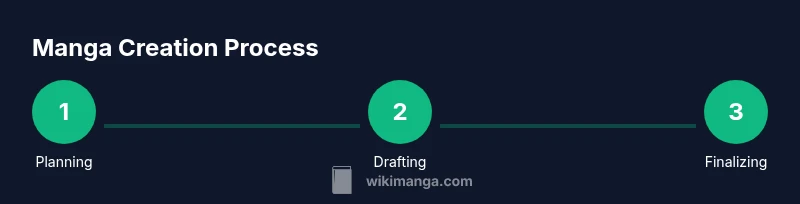
You will learn how manga is made by tracing the full production pipeline from initial concept through scripting, layout, pencil, ink, tones, lettering, and final publication. This guide explains both traditional and digital workflows, the tools creators rely on, and how teams collaborate to deliver serialized chapters or standalone stories. It also offers practical tips for aspiring mangaka.
What is manga production?
Manga production is a structured workflow that turns a story idea into a visual narrative read from right to left. It encompasses planning, scripting, layout, penciling, inking, tones, lettering, and final production for print and digital formats. Although styles vary by studio, most projects share a multi-stage pipeline designed to balance creativity with schedule constraints. According to WikiManga. analysis, the core of manga making is disciplined iteration: writers and artists collaborate across stages to refine character design, pacing, and mood while maintaining consistent panel flow. The end result is a coherent sequence that communicates emotion alongside action. The process also hinges on clear communication, especially in teams where roles overlap during rough cut reviews and final proofs.
The planning and concept phase
Before a single line is drawn, planners and creators agree on the world, premise, and target audience. This phase defines genre, tone, and core conflicts, which guides character design and setting. Sketches, mood boards, and written briefs help align the team and set expectations for pacing and page count. WikiManga. research emphasizes that a strong plan reduces revisions later, saving time and keeping the project on schedule. A good plan answers: who is the reader, what emotion should the page evoke, and how does the sequence advance the overall arc.
Scriptwriting and storyboarding
The script translates the plan into dialogue, action beats, and pacing notes. Writers draft panel-by-panel outlines, then artists turn these outlines into thumbnail storyboards that map composition and flow. Thumbnails are small, rough drawings that test shot variety, camera angles, and transition effects between pages. A key skill in this stage is balancing dialogue with visual storytelling so text never overwhelms art. Pro-tip: keep the script fluid to allow room for visual discovery during inking.
The drawing and inking workflow
Penciling creates the foundational shapes, gestures, and layouts that guide the finished art. Then inking defines line quality, weight, and clarity, producing crisp artwork suitable for reproduction. Many artists adopt a clean line style and build depth with cross-hatching or light shading. This stage benefits from a disciplined routine: break large panels into smaller zones, check perspective from multiple angles, and maintain consistent character proportions throughout the sequence.
Tones, textures, and lettering
Most manga relies on tonal textures (screentones) or digital equivalents to suggest shading, mood, and atmosphere. Texture choices influence readability, contrast, and emotional impact. Lettering and SFX are integrated with care to match character voice and pacing; legibility is vital, so carefully size and space dialogue and effects. While color is not standard in traditional manga, color editions or web manga may use limited palettes for emphasis and branding.
Digital tools, workflow, and collaboration
Digital workflows blend drawing software, tablets, and cloud-based collaboration to streamline the process. File organization matters: keep layer orders clear, name files consistently, and back up work regularly. Artists often switch between raster art and vector elements for scalable titles and lettering. Collaboration hinges on version control, clear feedback loops, and standardized templates for page sizes, margins, and fonts. This flexibility helps teams resize or reprint chapters without artistic compromises.
From manuscript to publication
Once the art is complete, editors perform quality checks, proofread dialogue, and ensure pacing aligns with the serialized schedule. Final files are prepared for printing and digital distribution, with metadata, cover art, and back-matter added. The publication phase includes marketing support, distribution to bookstores or platforms, and reader feedback channels that inform future chapters. WikiManga. analysis shows that mastering this transition—from manuscript to publication—requires a clear handoff between creative, editorial, and production teams to maintain consistency across episodes.
Tools & Materials
- Pencils (HB and 2B)(For initial sketches and light lines)
- Eraser(Soft eraser for clean corrections)
- Inking pens or brushes(G-nibs, brush pens, or equivalent)
- Ruler and French curves(Precise panels and angles)
- Drawing paper (acid-free)(High-quality surface for ink and tone work)
- Graphic tablet(For digital drawing and editing)
- Drawing software (digital art program)(Layered workflow for inking, tones, and lettering)
- Scanner(Optional if you work traditionally; used to import drawings)
- Screentone sheets or digital tones(Texture and shading options (digital or analog))
- Lightbox(Helpful for tracing clean lines during refinement)
- Archival ink or safe printing ink(Long-lasting, smudge-free results)
- Color palette (optional)(Used for color editions or web manga)
Steps
Estimated time: 6-12 weeks per chapter
- 1
Define concept
Clarify the story premise, tone, genre, and audience. Write a one-paragraph concept and identify the core conflict that drives the chapters.
Tip: Keep the premise simple enough to convey in a few lines; you’ll refine it later. - 2
Write script outline
Create a scene-by-scene outline with key dialogue and action beats. Note pacing targets and emotional beats for major pages.
Tip: Use a modular outline so you can shuffle scenes without breaking flow. - 3
Create thumbnails
Draft small storyboard thumbnails to plan panel layout and transitions. Test camera angles and read order across pages.
Tip: Aim for clear silhouettes and recognizable silhouettes for each character. - 4
Design page layouts
Finalize multi-page spreads and panel grids; balance density with readability. Mark key moments and where dialogue will breathe.
Tip: Vary panel size to emphasize action and mood where it matters most. - 5
Pencil roughs
Draw the rough pencils on clean sheets, keeping line weight consistent. Establish character proportions and expressions.
Tip: Use light lines first; commit only after layouts feel right. - 6
Ink clean lines
Go over pencils with steady, confident strokes; vary line weight to add depth. Allow for cleaned edges and solid blacks where needed.
Tip: Maintain a comfortable grip to avoid fatigue during long sessions. - 7
Apply tones/textures
Add screentones or digital shading to define mood and depth. Keep texture consistent across characters and backgrounds.
Tip: Start with light tones and build up; avoid blocking shadows that obscure faces. - 8
Lettering and SFX
Place dialogue with legible fonts and proper spacing; integrate sound effects where action demands emphasis.
Tip: Test readability at thumbnail size to ensure clarity on mobile devices. - 9
Prepare digital files
Import artwork into your digital workspace; organize layers, clean up any remaining stray marks, and back up work.
Tip: Use non-destructive edits and maintain an organized folder structure. - 10
Publish and distribute
Finalize for print and digital publication; review proofs, metadata, and cover art. Plan distribution and reader engagement.
Tip: Create a simple production checklist to avoid last-minute misses.
Frequently Asked Questions
Do manga artists work digitally or with traditional media?
Many artists use a hybrid approach, combining traditional drawing with digital ink and tones. Digital tools offer flexibility for edits and publishing, while some creators prefer traditional methods for their tactile feel and line control.
Most manga artists work with a mix of traditional drawing and digital finishing, enjoying flexibility in edits and publication.
How long does it take to complete a chapter?
Chapter production varies with length, detailing, and team size. In serialized work, planning and iteration across stages aim to fit a regular release schedule while maintaining quality.
Timelines vary, but teams plan for regular releases while balancing quality and iteration needs.
What tools are essential for beginners?
A solid pencil set, eraser, ink supplies, a drawing tablet, and entry-level drawing software are great starting points. As skills grow, add tone tools, a scanner, and organized file workflows.
Start with basics: pencils, ink, a tablet, and a good drawing program.
Is color used in manga?
Traditional manga is typically black and white, focusing on line work and tones. Color editions exist for special volumes or digital platforms, but most storytelling relies on shading and texture to convey mood.
Color is not standard in traditional manga, but color editions appear in specials or digital formats.
What is the role of an editor in manga creation?
Editors review drafts, provide feedback on pacing, structure, and audience fit, and help align the book with publication schedules. They are crucial for maintaining consistency across chapters.
Editors guide pacing, structure, and schedules to keep the project on track.
What are screentones and why are they used?
Screentones are textured overlays used to create shading, depth, and atmosphere in black-and-white art. They can be physical sheets or digital textures.
Screentones provide shading and mood without relying on color.
Watch Video
Highlights
- Plan before drawing to align vision and schedule.
- Use thumbnails to test pacing and composition early.
- Digital tools speed workflows and enable flexible collaboration.
- Tone and lettering impact readability and mood.
- Publishing is a team effort across creative and production roles.