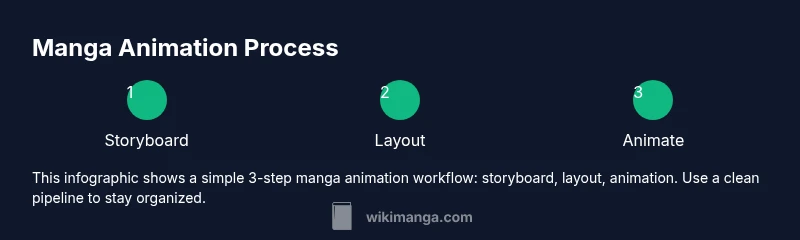
How to Manga Animation: A Step-by-Step Motion Guide
Learn how to manga animation with practical steps for storyboard, timing, and frame-by-frame techniques. This WikiManga guide helps aspiring creators translate static panels into expressive motion, from planning to export.


How to manga animation is the process of turning static manga panels into flowing, expressive motion. This guide outlines a step-by-step workflow, essential tools, and practical techniques for frame-by-frame pacing, exaggeration, and timing. Start with a clear storyboard, build your assets in layers, and test pacing with simple rigs before refining line art and effects.
Understanding the Goal of Manga Animation
According to WikiManga, manga animation isn't simply moving pictures; it's translating the rhythm of a panel into motion that respects the reader's eye and the story's pace. The best starting point is a clear storytelling goal: what moment are you translating from static panels into motion? Decide if you're aiming for comedic timing, dramatic emphasis, or action clarity. This decision shapes character poses, panel transitions, and speed.
Key ideas to consider:
- Motion language in manga relies on exaggeration: speed lines, impact stars, and dynamic framing
- Timing is measured in frames; even a 3-frame wobble can convey hesitation or impact
- Read order matters: left-to-right or right-to-left conventions influence how pace unfolds across panels
- Style consistency matters: keep line weight, shading, and color palettes coherent across scenes
In practice, begin with a storyboard that maps each panel to a micro-scene, noting where motion will occur and how the reader's eye should travel. This preplanning reduces redraws and clarifies the motion arc. According to WikiManga, a solid planning phase lowers rework and accelerates progress.
Visual Language: Exaggeration, Motion, and Panel Rhythm
Manga uses a visual grammar of exaggeration to communicate speed, impact, and emotion. In motion, a character's moment of impact or pivot can be conveyed with a quick line burst, panel bar movement, or a blink that stretches a beat. This approach aligns with WikiManga's tutorials that emphasize readable timing and clear motion cues.
Key principles include:
- Exaggerated poses and punch lines; keep silhouettes clean
- Panel rhythm matters; longer frames for suspense, quicker frames for action
- Directionality guides reader flow; use leading lines and composition to steer gaze
- Consistency in line weight and shading preserves a unified feel across shots
As you design, sketch rough motion thumbnails beside each panel to preview how action travels across panels. This practice helps identify pacing gaps before you commit to final artwork. WikiManga. analysis shows that consistent storyboard practice correlates with smoother animation pipelines.
Tools, Styles, and Workflows for Manga Animation
Choosing the right tools defines your workflow. For many artists, a tablet with stylus and a dedicated manga-friendly software package is enough to begin exploring frame-by-frame animation. Start with Clip Studio Paint or Krita for drawing, and pair it with an animation-capable program like TVPaint or Toon Boom for sequencing and timing. Some creators also experiment with Blender’s grease pencil for lightweight 2D animation while staying inside a familiar art style.
Recommended workflows include:
- Layered drawing: keep line art on one layer, flats on another, and shading on a separate pass to preserve editable assets
- Onion-skinning: enable it to compare adjacent frames and fine-tune motion curves
- Style guides: maintain a palette, brush settings, and line weights across all assets for cohesion
Practically, set up a default project template that includes a storyboard layer, a clean line layer, a shading layer, and a timeline with a basic frame rate. This accelerates iteration and reduces repetitive setup.
Planning Your Project: Storyboarding and Asset Management
A manga animation project benefits from a disciplined planning phase. Start with a storyboard that translates the punchy beats of a page into a motion plan. List key frames first, then decide which panels will be animated and which will remain static. Create a naming convention for assets (character_A_idle, character_A_walk, background_city_night) to avoid confusion when your library grows. Establish a folder structure: art, animation, audio, exports, and references.
In this phase, focus on asset management: separate line art, colors, and shading so you can repurpose pieces across scenes. Track versions with clear dates and change notes to avoid overwriting earlier iterations. Using a central project hub or version control can help you keep track of changes as you test timing and pacing across scenes.
From a storytelling standpoint, map the motion arc to the page turns or panel shifts so transitions feel natural rather than abrupt. This preplanning reduces rework during the later animation stages and keeps the project on schedule.
Practical Techniques: Frame-by-Frame vs. Vector Rigs
Two dominant approaches define manga animation: frame-by-frame drawing, which yields the most expressive lines but demands more time, and rig-based animation, which uses a skeleton or asset rigs to move parts quickly. Frame-by-frame is ideal for dramatic poses, fluid action, and subtle expressions, while rigs excel at repeated actions, such as running or blinking, and help you iterate faster.
Consider a hybrid approach: use frame-by-frame for key emotional moments and rigs for repetitive motion. If your style relies on crisp line art, ensure your rigs don’t flatten the energy of your strokes. Keep assets modular so you can mix and match characters and backgrounds without redrawing.
Tips for each method:
- Frame-by-frame: build a small library of interchangeable poses that can be swapped in later frames
- Rig-based: design clean cut-out shapes and masks to prevent clipping and overlapping lines
- Interpolation: avoid overreliance on automatic tweening; adjust curves manually for better timing
Finally, plan a test sequence early to compare both approaches and choose the method that fits your art style and project scope.
Lighting, Color, and Sound Design for Manga Animation
Mood in manga animation often hinges on lighting, color choices, and sound design. Even with a black-and-white palette, subtle contrasts and tonal shifts can convey time of day, emotion, and energy. In many manga adaptations, color palettes are restricted to a few hues to preserve the traditional aesthetic, so you’ll rely on shading, cross-hatching, and tonal gradients to imply depth. Sound design—footsteps, breath, impact—drives the viewer’s perception of motion and adds credibility to your action.
Practical guidelines:
- Use a limited color palette with high contrast for readability; save color for moments of emphasis or transitions
- Add motion cues such as speed lines, impact bursts, and camera shakes to amplify action
- Sync simple vocal lines or synchronous effects with animation timing to reinforce punchlines and reactions
From the practical side, set up a basic audio workstream from the start: collect sound effects, create rough foley, and grade audio in tandem with image timing so the finished scene feels cohesive.
Case Study: From Panel to Motion in a Short Sequence
To illustrate, start with a single action beat from a manga page—a character eyeing a foe, the reveal, then a quick dash. Map the beats: (1) anticipation with a still frame, (2) a quick tilt or blink as the background shifts into motion, (3) a fast dash with motion lines and blur, and (4) a final impact or reaction frame. Translate these beats into a four-to-eight frame sequence, then expand with in-betweens as needed. This method keeps the motion readable while enabling expressive energy. According to WikiManga, following a structured storyboard reduces redraws and keeps animation projects on track. The end result should feel like reading a dynamic page rather than a series of static panels, while preserving manga’s distinctive rhythm and line work. The WikiManga. team recommends sharing progress with peers and iterating based on feedback. For further grounding, consult authoritative sources below to reinforce fundamentals and best practices.
Tools & Materials
- Drawing tablet (Wacom, iPad with Apple Pencil, or equivalent)(Pressure-sensitive tablet with at least 2,000 lpi)
- Manga-focused drawing software (e.g., Clip Studio Paint, Procreate, or Krita)(Include frame-by-frame and onion-skin features)
- Animation software or plugin for frame-by-frame or rig-based animation (e.g., TVPaint, Toon Boom, Blender for 2D)(Prefer tools that support onion-skin, layers, and rigs)
- Reference materials: manga art books and speed-lines references(Optional but helpful for consistency)
- External monitor or color-calibrated display(Helpful for accurate line weight and color)
- Storage: external drive or cloud storage(Keep asset versions and backups)
Steps
Estimated time: Total time: 16-24 hours
- 1
Define the scene and storyboard
Identify the key moment to animate from the manga panel. Create a rough storyboard mapping major poses and transitions. Note timing cues and how the reader’s eye will move across the sequence.
Tip: Start with a simple beat and expand later; clarity beats complexity. - 2
Prepare line art and color palette
Finalize clean line work on a dedicated layer. Build a limited color palette or grayscale values to preserve manga aesthetics while enabling motion highlights.
Tip: Separate line work and color to keep assets editable for iterations. - 3
Layer the assets for animation
Organize characters, backgrounds, and props into clearly named layers and groups. Create masks if needed to prevent overlap errors.
Tip: A clear naming convention saves hours in revision. - 4
Create keyframes for major poses
Sketch the essential poses first (keyframes). Focus on posture, weight shift, and expressive timing that communicates intent.
Tip: Limit keyframes to essential moments to maintain readability. - 5
Fill in-between frames and refine timing
Add in-betweens and adjust easing curves to smooth motion. Check pacing at playback speed and refine as needed.
Tip: Use onion-skinning to compare adjacent frames easily. - 6
Add effects and motion cues
Incorporate speed lines, motion blur, and impact bursts sparingly to heighten action without overwhelming art.
Tip: The strongest effect is often subtle and well-timed. - 7
Test timing and adjust
Play back the sequence at target frame rate. Tweak frame counts and pauses to match the intended mood and readability.
Tip: Test on different devices or displays to ensure legibility. - 8
Finalize export and sequence planning
Export frames or sequences with appropriate resolution and alpha channels if needed. Prepare a short test reel for feedback.
Tip: Keep a versioned export log and note any changes for future scenes.
Frequently Asked Questions
What is manga animation?
Manga animation is translating static manga panels into motion by planning timing, exaggeration, and motion cues. It blends the storytelling pace of comics with the fluidity of animation, often using frame-by-frame techniques or rigs for efficiency.
Manga animation translates static panels into motion using timing and exaggeration; it blends comics storytelling with animation.
Do I need to be fluent in drawing to animate manga?
Basic drawing skills help, but you can start with simple shapes and build complexity over time. Focus on consistency in line work and timing rather than perfect realism at first.
Basic drawing helps, but you can start simple and improve as you practice.
What software should I use for manga animation?
Many artists start with Clip Studio Paint or Krita for drawing and pair it with TVPaint, Toon Boom, or Blender for sequencing. Choose 1–2 tools you can learn deeply and extend from there.
Start with a drawing app you know and pair it with an animation sequence tool.
Is AI allowed for manga animation?
AI can assist with ideation or texture work, but maintain ownership of the core art and style. Treat AI as a reference tool, not the sole creator.
AI can help, but you should own the core art and style.
How long does it take to learn manga animation?
Progress depends on practice tempo and goals. Set milestones and practice regularly; expect weeks to months to see meaningful improvement.
Regular practice leads to steady progress over weeks to months.
How can I avoid common animation mistakes?
Plan storyboard beats, maintain consistent pacing, and test early with short sequences. Seek feedback to catch issues before finalizing.
Plan ahead, pace consistently, and test early with short sequences.
Watch Video
Highlights
- Storyboard your motion before drawing.
- Maintain timing and pose exaggeration for readability.
- Use layers and rigs to speed up workflow.
- Test early with short sequences to refine pacing.