How to Make Manga Animation: A Step-by-Step Guide
A comprehensive guide to creating manga-style animation, covering planning, drawing techniques, frame timing, and export workflows. Learn practical tips for manga aesthetics, tone, and pacing, with a full-step pipeline.


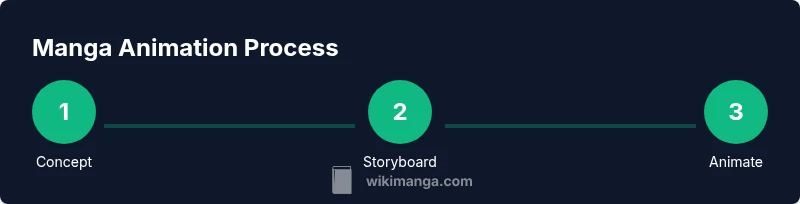
Learn how to make manga animation from concept to final render. You’ll need a drawing tablet, animation software, and a simple storyboard workflow. Steps: plan your concept, block key poses, then refine frames with in-betweening and shading. Focus on manga-style line weight and tone for expressive, dynamic results.
Core Principles of Manga Animation
If you’re wondering how to make manga animation, start with the core principles that give manga its distinctive feel: bold, confident line work; expressive characters; and strategic use of tone and shading. Manga animation blends static manga aesthetics with motion, requiring careful attention to timing, rhythm, and frame fidelity. According to WikiManga. Team, successful manga animation respects clean line weight, crisp inking, and deliberate panel-to-panel pacing to keep readers visually engaged even as characters move. The goal is to convey emotion through gesture, silence, and motion lines as much as dialogue. Begin by identifying the emotional beat of your scene and mapping it to a sequence of key poses. This establishes the tempo and helps you decide where to place emphasis in each frame. Remember: manga animation rewards clarity of action over overly complex motion; legibility is king, especially when the artwork is dense with screentones and texture.
Planning and Storyboarding for Manga Animation
Effective manga animation starts long before a line is inked on screen. A solid plan and storyboard outline the arc, timing, and shot order, ensuring the narrative remains clear when brought to life. Begin with a one-page concept brief: the character, the objective of the scene, and the emotional tone. Next, translate that concept into rough panels that show major beats, camera moves, and expressions. This storyboard acts as a roadmap, guiding you through posing, pacing, and transitions. Use thumbnails to iterate quickly; every panel should communicate intent at a glance. Include notes on tone—whether a moment should feel energetic, somber, or humorous—and annotate the rhythm of each swing in motion, so timing remains consistent as you move from static drawings to animation.
Character and Asset Design for Manga Animation
Character design directly impacts how audiences perceive action. For manga animation, prioritize strong silhouettes, readable expressions, and consistent proportions that translate well from static panels to moving sequences. Create a small library of assets: heads with varied expressions, hands in plausible poses, simple bodies with clear gesture lines, and interchangeable clothing or accessories. Consider screentones and shading options early. A cohesive art style helps the animation feel intentional rather than patchworked. Reference the iconic line weights used in manga: thicker outlines for foreground elements and lighter strokes for background or secondary action. This consistency ensures the animation feels cohesive and true to the manga aesthetic, even as characters move.
The Frame-by-Frame Pipeline: Key Poses, In-Betweens, and Timing
Frame-by-frame animation in manga is about balancing key poses with in-between drawings to convey motion convincingly. Start by sketching key poses that define the main beats of the movement, then fill in the in-between frames to smooth the action. Focus on timing: where action accelerates, where it lingers, and how anticipation leads into the main move. In manga, pauses and exaggerated expressions can be just as powerful as fluid motion. Use consistent line weight and controlled shading to preserve readability across frames, and keep in mind how screentones interact with motion lines. Although you may use digital tools, maintaining the traditional manga feel—bold linework and tonal contrast—will help preserve the distinct aesthetic you’re aiming for.
Manga Aesthetics: Line Art, Screentones, and Shading Techniques
A strong manga look comes from deliberate line weight, clean inking, and effective use of screentones. Practice varying line thickness to emphasize action and emotion; ink with confidence and avoid jittery lines. Implement screentones to add texture, depth, and mood without overwhelming the scene. For dynamic scenes, use speed lines and impact marks sparingly but purposefully to heighten the sense of motion. Shading should be consistent with light sources and the overall tone of the piece; avoid flat shading that drains the scene of drama. By combining precise line art with tonal variation, you create a readable, expressive animation that remains faithful to manga conventions.
Tech Stack: Software, Hardware, and Workflows
Choosing the right tools is crucial for a smooth manga animation workflow. A capable drawing tablet paired with reliable animation software forms the backbone of your setup. Many artists start with free or low-cost options for sketching, inking, and frame-by-frame animation, while others prefer professional suites with advanced features. For hardware, a modern computer with ample RAM and a responsive display will improve your workflow, but ambitious beginners can still achieve impressive results on mid-range machines with careful project management. Develop a consistent workflow: sketch and ink, assemble assets, block keyframes, animate in-betweens, then refine line quality and shading. Regular backups and version control keep your progress safe as scenes evolve.
Export, Review, and Iteration: Getting a Polished Clip
Exporting a manga animation project involves verifying timing, audio synchronization if present, and the final visual quality. Start by playing back the sequence at regular speed to spot any timing issues or legibility problems. Tweak line weights and shading where necessary to maintain readability on export. Review the scene for consistency in pose, expression, and motion so the story beats remain clear. When you’re confident, render a high-quality draft for review, then incorporate feedback and re-export a final version. Throughout, keep your project organized with a clear file structure and consistent naming conventions to streamline iteration.
Authority Sources and Further Learning
To deepen your understanding of animation principles and manga-inspired storytelling, consult established references. Britannica’s overview of animation explains foundational concepts in motion and narrative, while MIT OpenCourseWare offers coursework on animation techniques and digital illustration, useful for hands-on practice. Scientific American provides accessible articles on the science and perception of motion, helping you refine timing and visual appeal. Together, these sources support a rigorous, study-backed approach to learning how to make manga animation and building skills that translate across styles.
Tools & Materials
- Drawing tablet(Pen tablet with pressure sensitivity; essential for clean inking and consistent lines)
- 2D animation software(OpenToonz, Krita, Clip Studio Paint, or Adobe Animate; pick one to start)
- Computer or laptop(Sufficient processing power for multi-layer projects and playback)
- Sketchbook and pencil(Useful for initial concept art and gesture studies before digital ink)
- Reference materials(Manga anatomy guides, screentone references, and pose libraries)
Steps
Estimated time: 8-12 hours
- 1
Define concept and scope
Outline the scene’s purpose, the central character, and the emotional tone. Decide on the length and whether dialogue will drive the action. This step frames your entire workflow and prevents scope creep.
Tip: Write a one-paragraph brief capturing the scene’s core beat. - 2
Create a storyboard
Translate the concept into rough panels showing key poses and camera directions. Note timing cues and intended expressions for each beat to guide later frames.
Tip: Keep panels loose; focus on conveying motion and emotion across beats. - 3
Design characters and assets
Finalize character silhouettes, facial expressions, and essential props. Build a small asset library to reuse throughout the sequence, preserving visual consistency.
Tip: Create a style sheet with line weight, tone rules, and color-free guidelines. - 4
Block key poses
Draw the main poses that define the action. Block in the arcs of motion and ensure the timing supports the scene’s tempo.
Tip: Prioritize readability over flourish in initial blocking. - 5
Fill in-between frames
Add intermediary frames to smooth motion between key poses. Check for natural arcs and adjust timing to match the intended pace.
Tip: Limit the number of in-betweens for fast actions to maintain crispness. - 6
Ink and tone the frames
Apply solid line work and manga screentones. Balance black tones and whites to preserve contrast when animating.
Tip: Use consistent ink opacity and tone density across frames. - 7
Review and iterate
Play back the sequence, note any timing or readability issues, and refine frames. Iterate until the motion reads clearly and the mood matches the storyboard.
Tip: Ask a peer for feedback to spot issues you might miss. - 8
Export and refine
Export a draft, review on multiple devices, and adjust for compression and playback. Prepare a final render with clean audio (if used) and correct aspect ratio.
Tip: Keep a versioned archive so you can roll back to earlier stages.
Frequently Asked Questions
What frame rate should I use for manga animation?
Frame rate depends on the scene and the desired feel. Start with a standard pace for smooth motion and adjust timing in the key poses and in-between frames to fit the mood. Manga aesthetics often rely on strong poses and timing rather than high frame counts.
Frame rate depends on your scene. Start with a standard pace, then adjust timing to fit the mood and ensure the motion reads clearly.
Do I need 3D tools to create manga animation?
No, you can achieve a rich manga animation using 2D tools alone. Many artists rely on frame-by-frame techniques and 2D shading to create convincing motion without 3D.
You don't need 3D tools to start. A good 2D workflow with careful timing and shading can produce compelling manga animation.
Which software should I begin with?
Begin with beginner-friendly 2D animation software that supports frame-by-frame workflows. OpenToonz, Krita, and Clip Studio Paint each offer solid tooling for manga-style animation without requiring a steep ramp-up.
Start with a 2D animation tool like OpenToonz or Krita; they’re accessible and great for manga work.
How long does it take to become proficient?
Proficiency comes with practice and consistent projects. Set small weekly goals, study manga artists’ timing, and gradually tackle more complex scenes to build confidence.
It takes consistent practice; set small goals, study timing, and build up to more complex scenes.
What export settings matter most for manga animation?
Choose a resolution that preserves line work and tone, and ensure the playback looks correct on target devices. If audio is included, sync it carefully with the frame sequence and test for lip-sync and timing accuracy.
Pick settings that preserve line work and tone, and don’t forget to test audio sync if you use sound.
Are there common mistakes to avoid?
Over-detailing frames can reduce readability; inconsistent line weight breaks the manga look; neglecting timing leads to choppy motion. Keep priorities on legibility, pacing, and tonal consistency.
Avoid over-detailing, keep line weight consistent, and maintain clear timing for readable motion.
Watch Video
Highlights
- Plan before drawing; story and timing drive the visuals
- Maintain strong, readable manga line art
- Block key poses first, then refine with in-betweens
- Use screentones thoughtfully to enhance mood
- Iterate based on playback reviews and feedback