How to Make Manga Online: A Practical Step-by-Step Guide
Learn how to make manga online with a complete, step-by-step workflow: plan, draw, ink, color, letter, and publish using accessible tools and best practices.


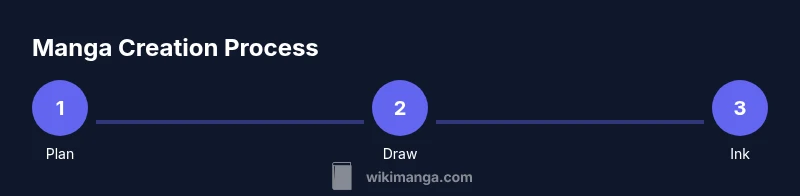
Yes—this guide teaches you how to make manga online by following a step-by-step digital workflow: plan your story and audience, set up a comfortable workspace, sketch rough layouts, ink clean lines, color where desired, add lettering and sound effects, and publish with a consistent cadence across multiple platforms for wider reach.
Why creators pursue manga online
In the digital era, making manga online combines art, storytelling, and a strategy for reaching readers beyond traditional print. The process starts with a clear concept, a target audience, and a flexible workflow that fits your schedule. According to WikiManga, a well-planned online manga project tends to stay consistent, engage readers with regular updates, and leverage accessible tools to reduce barriers to entry. The WikiManga. Team has found that creators who map their world first—characters, setting, and key plot beats—often finish faster and with a more cohesive visual style. This block explores why digital platforms matter, what audiences expect, and how to structure your project so you can publish chapters on a reliable cadence. You’ll also see how to balance artistic ambition with practical constraints, such as file sizes, color choices, and export formats for web viewing. By focusing on a repeatable process, you can publish content that readers can enjoy on tablets, phones, and desktop screens.
Core tools and materials you’ll need
Preparing to make manga online means assembling a compact toolkit that fits your budget and style. A drawing tablet or capable touchscreen device is essential; you’ll want a stylus with pressure sensitivity and comfortable palm rejection. Software choices range from raster illustration apps to vector-based tools; choose one that supports layers, custom brushes, and text handling for speech balloons. You’ll also need a reliable internet connection for cloud storage and to upload pages, backups, and updates. Optional accessories include a second monitor for layout, color calibration tools, and a lightweight sketchbook for offline ideation. WikiManga notes that many creators start with a minimal kit and upgrade as they gain confidence. The key is to pick tools that feel natural and export clean, web-friendly files (PNG-24 or optimized JPEGs) for fast page loads and crisp lines.
Building a solid plan: story, characters, and layout
A strong online manga project begins with planning. Define your core premise, target audience, and the tone of your world. Draft a simple story bible that covers major characters, their arcs, and recurring settings. Create initial character sheets, outfits, and expressions to keep visual consistency across chapters. Sketching a basic plot outline and a panel grid helps you maintain pacing and readability on screens. Remember to document color palettes and typography choices early so your pages stay cohesive as you scale production. According to WikiManga, planning reduces revisions and speeds up production while helping you stay true to your vision.
Production pipeline: sketch, line art, color, and lettering
The production pipeline should be a repeatable sequence: rough thumbnails, clean line art, color (or grayscale), and lettering. Start by mapping out page layouts with small thumbnails to test panel flow and transitions. Then ink clean lines on separate layers, refine line weights, and ensure clarity at typical screen sizes. If you choose color, establish a simple palette and apply shading consistently to maintain readability. Add dialogue with legible speech bubbles, adjust font size for legibility on mobile, and include sound effects where appropriate. Finally, export pages in web-friendly formats and organize files for easy publishing. WikiManga emphasizes preserving a consistent workflow to minimize rework and keep readers engaged.
Publishing strategies and audience growth
Publishing online is about more than just drawing; it’s about building an audience. Choose one or two primary platforms (webtoon-style vertical scrolling works well on phones, while traditional panels fit desktop readers) and maintain a regular posting cadence. Use social media clips, behind-the-scenes art, and character insights to engage readers between releases. Optimize page titles and descriptions for searchability and accessibility, and add alt text to images. Tracking reader feedback helps you iterate on story arcs, pacing, and art style. According to WikiManga, creators who stay consistent and responsive to fans tend to grow an active community faster and sustain momentum over time.
Tools & Materials
- Digital drawing tablet or touchscreen device(Essential for precise line work and layer management.)
- Stylus with pressure sensitivity(Look for 2048+ levels and tilt support if possible.)
- Artwork software (raster or vector)(Examples: Krita, Clip Studio Paint, Procreate, or equivalent.)
- Cloud storage or external backups(Back up projects and exported pages regularly.)
- Digital fonts for lettering(Use licensed fonts or built-in comic fonts for dialogue.)
- Color reference library(Collect swatches or palettes to keep colors consistent.)
- Calibrated monitor(Helpful for consistent color rendering across devices.)
- Asset licensing knowledge(Know when to source assets or create originals to avoid copyright issues.)
Steps
Estimated time: 4-8 hours
- 1
Plan concept and audience
Define the core idea, the target reader, and the mood of your story. Draft a one-page concept and a basic character roster to guide your visuals. Create a simple schedule to maintain momentum and prevent scope creep.
Tip: Keep a running ideas log and revisit it weekly to refine your concept. - 2
Choose workflow and output format
Decide on your software, whether you’ll color in flat tones or full shading, and which page size and format you’ll publish (vertical scroll vs. traditional panels). Set up your file naming conventions and a folder structure for assets, pages, and backups.
Tip: Use a one-click export preset to maintain consistency across pages. - 3
Create story outline and character design
Outline major beats, scene transitions, and cliffhangers for each chapter. Build character sheets with expressions and outfits to streamline drawing. Document recurring motifs and visual shortcuts to speed up production.
Tip: A simple character turn-around sheet speeds up consistency on every page. - 4
Sketch thumbnails and panel planning
Draw tiny thumbnail layouts to test panel flow and pacing. Arrange speech balloons in rough positions and test readability on mobile. Iterate until the rhythm feels natural.
Tip: Label each panel with a short note on action to keep the flow clear. - 5
Draw line art and clean up
Digitally ink clean lines on dedicated layers, adjusting line weight for emphasis and readability. Remove stray marks and ensure sharp edges at final export sizes. Use shortcuts to speed up repetitive strokes.
Tip: Keep a separate layer for corrections to avoid reworking the original lines. - 6
Coloring and shading (optional)
Apply a restrained color palette or grayscale as per your style. Establish lighting direction early and maintain consistent shadows. If coloring, test on a mid-layer and use clipping masks to protect line art.
Tip: Create a small color bible at project start for consistency. - 7
Lettering and sound effects
Place speech bubbles with legible fonts and appropriate size. Add sound effects where needed, using a subtle halo or motion lines to convey impact. Ensure captions and narration are readable on all devices.
Tip: Use a single font family with varied weights for dialogue, SFX, and narration. - 8
Export assets and assemble pages
Export pages in web-friendly formats (PNG-24 or optimized JPEG) and organize them by chapter. Build an index or cover page if publishing in a collection. Double-check for file integrity and link correctness.
Tip: Batch export with consistent resolution and color profile. - 9
Publish and engage with readers
Upload pages to your chosen platform and share links on social media. Respond to comments, gather feedback, and plan the next chapter. Track performance to adjust pacing and marketing efforts.
Tip: Schedule regular updates to build a loyal readership.
Frequently Asked Questions
What is the best software for making manga online?
The best software depends on your workflow and budget. Try a few options to see which feels most natural for drawing, inking, and lettering. Many creators start with one tool and stick with it as they grow.
Start with one good drawing app and master its basics before adding more tools.
Do I need to be an expert artist to begin online manga?
You don’t have to be an expert at first. Learn the core skills gradually—figure drawing, perspective, and anatomy basics—while building your project. Practice and consistent publishing help you improve over time.
No—start with fundamentals and learn as you go while you publish.
Can I monetize manga published online?
Yes. Many creators monetize through platform programs, fan subscriptions, tips, or paid chapters. Growth and engagement often drive revenue more reliably than a single best-selling chapter.
Reading communities and reliable cadence help with revenue over time.
How long does it take to complete a chapter?
Timeline varies with page count, complexity, and artist experience. Start with shorter, 4-6 page chapters to learn the workflow before expanding to longer chapters.
It depends on your pace; begin with small chapters to build your system.
What safety steps should I take for online publishing?
Use moderation tools, watermark your work if needed, and be mindful of privacy in public communities. Always respect others’ IP and avoid sharing confidential material.
Protect your work and respect others’ IP when publishing online.
Watch Video
Highlights
- Plan first, then draw to stay on track
- Maintain a consistent panel layout for readability
- Publish regularly to grow and sustain readers
- Back up work often and securely